COMMAND CONTROL
Dual Digital Adaptor
For Apple® II Series Computers
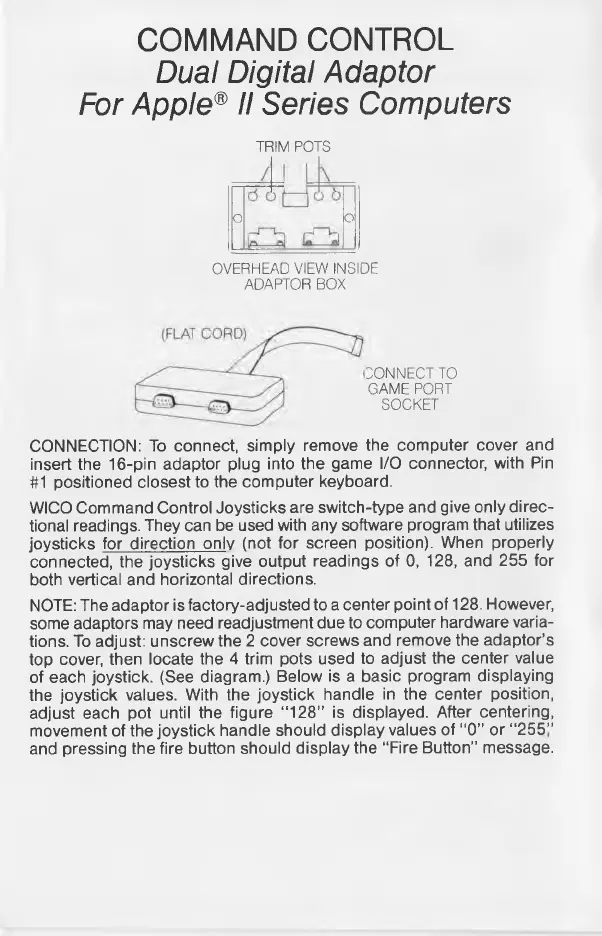
TRIM POTS
o o
OVERHEAD VIEW INSIDE
ADAPTOR BOX
CONNECT TO
GAME PORT
SOCKET
CONNECTION: To connect, simply remove the computer cover and
insert the 16-pin adaptor plug into the game I/O connector, with Pin
#1 positioned closest to the computer keyboard.
WICO Command Control Joysticks are switch-type and give only direc
tional readings. They can be used with any software program that utilizes
joysticks for direction only (not for screen position). When properly
connected, the joysticks give output readings of 0, 128, and 255 for
both vertical and horizontal directions.
NOTE: The adaptor is factory-adjusted to a center point of 128. However,
some adaptors may need readjustment due to computer hardware varia
tions. To adjust: unscrew the 2 cover screws and remove the adaptor’s
top cover, then locate the 4 trim pots used to adjust the center value
of each joystick. (See diagram.) Below is a basic program displaying
the joystick values. With the joystick handle in the center position,
adjust each pot until the figure “ 128” is displayed. After centering,
movement of the joystick handle should display values of “0” or “ 255”
and pressing the fire button should display the “Fire Button” message.



 To Next Page