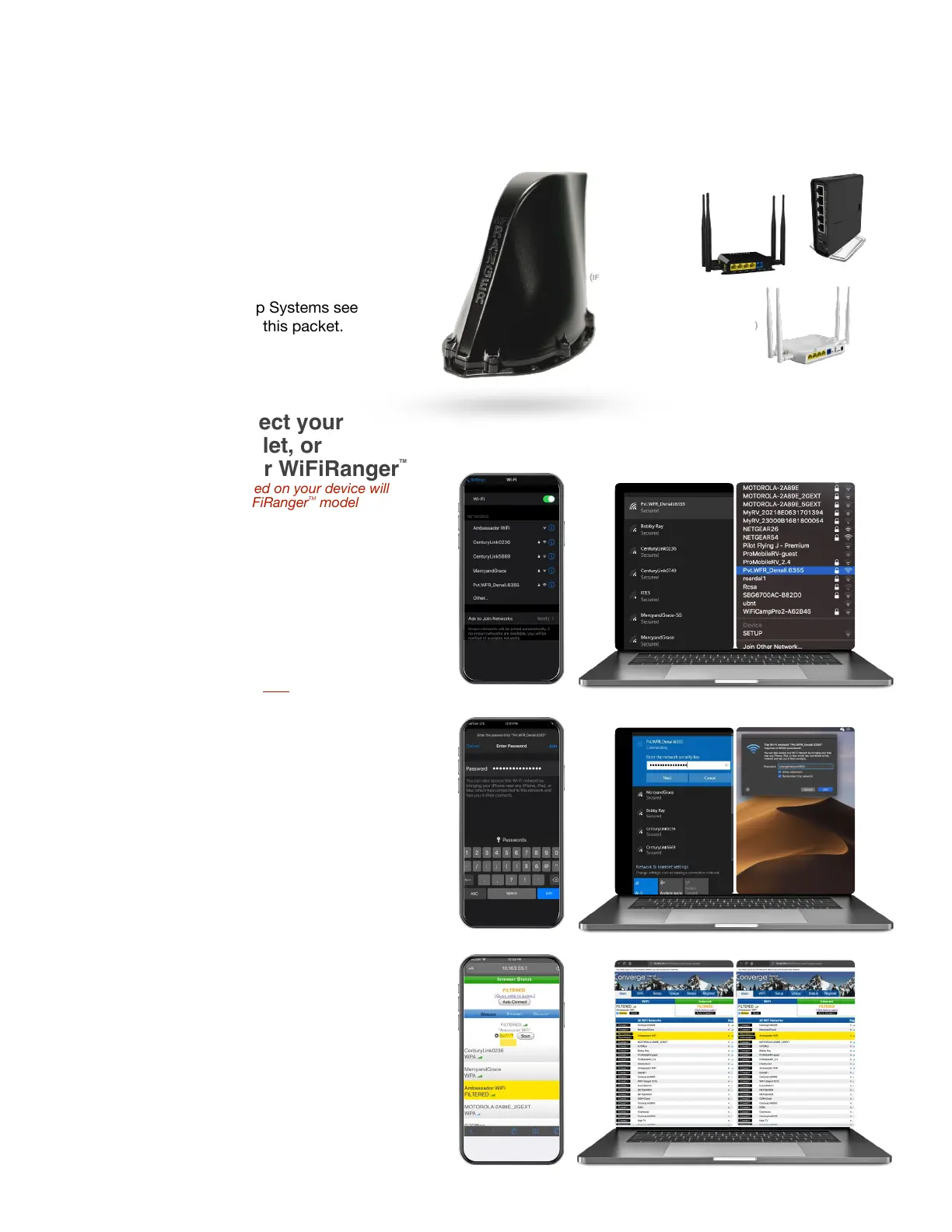
1. Power-up your WiFiRanger
TM!
For the Outdoor Rooftop Systems see !
installation guidelines in this packet.
2. Wirelessly connect your
smartphone, tablet, or
computer to your WiFiRanger
TM
!
NOTE: network names listed on your device will
vary depending on the WiFiRanger
TM
model !
you have powered up
Pvt.WFR_Teton._ _ _ _!
Pvt.WFR_Denali._ _ _ _!
Pvt.WFR_Everest._ _ _ _!
Pvt.WFR_Poplar._ _ _ _!
Pvt.WFR_Spruce._ _ _ _!
Pvt.WFR_Aspen._ _ _ _
6355 is for illustration purposes only.▷ !
Your Network name has its own 4 unique digits."
3. Enter Password:
changemenow_ _ _ _
Password has no spaces and is all lowercase. !
Fill in _ _ _ _ using the same 4 unique digits from
step 2 (not “6355” from the example).!
4. Visit mywifiranger.com!
Click Scan!
Connect to desired network. !
Proceed to Login Page if required by the network
you’re connecting to (e.g. Filtered networks from
an RV Park, Rally Park, Coffee Shop, etc.).



 To Next Page