Users can choose the right channel or left channel or stereo mode on the application, or choose left channel on
device A and choose right channel on device B, and group them together and play in sync to make stereo.
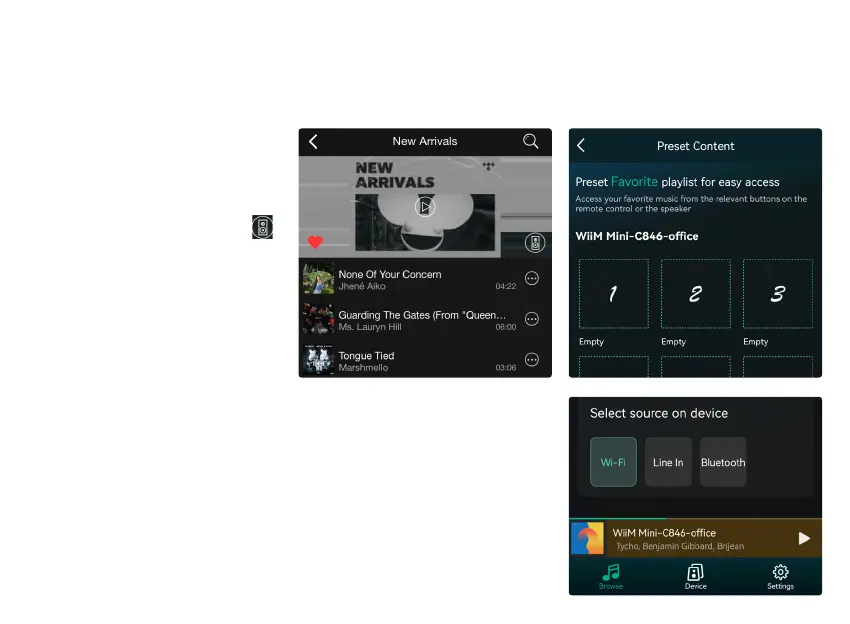
Users can change play mode on the application, WiFi, Bluetooth, Line
input. To change from Bluetooth/line input to WiFi, only need choose the
online streaming services such as Tidal, Qobuz or Spotify or cell phone
local storage music or any music via DLNA or UPnP streaming.
You can setup 6 preset buttons for
quick access to online music and
online radio stations.
When you see the speaker icon
on the online music or online radio
station, it means you can add it to
the preset list. When you press the
preset button, it will auto playback
the music you store in that button.
8.6 Left and Right Channel
8.8 Source mode Change
8.7 Preset


 To Next Page