6.2.2 There is another way to setup WiFi if you are using iOS device:
●
Plug in the power cable.
●
The LED will start ashing indicates the system is being bootup, wait till the LED ash slowly.
●
Open your iOS device and open the Home app located on the home screen.
●
Tap the “+” button located at the top-right corner of the screen.
●
Tap “Add Accessory”.
●
Tap “More options…”
●
Tap on your device’s name which should listed under “Nearby Accessories”.
●
Enter the required code if prompted.
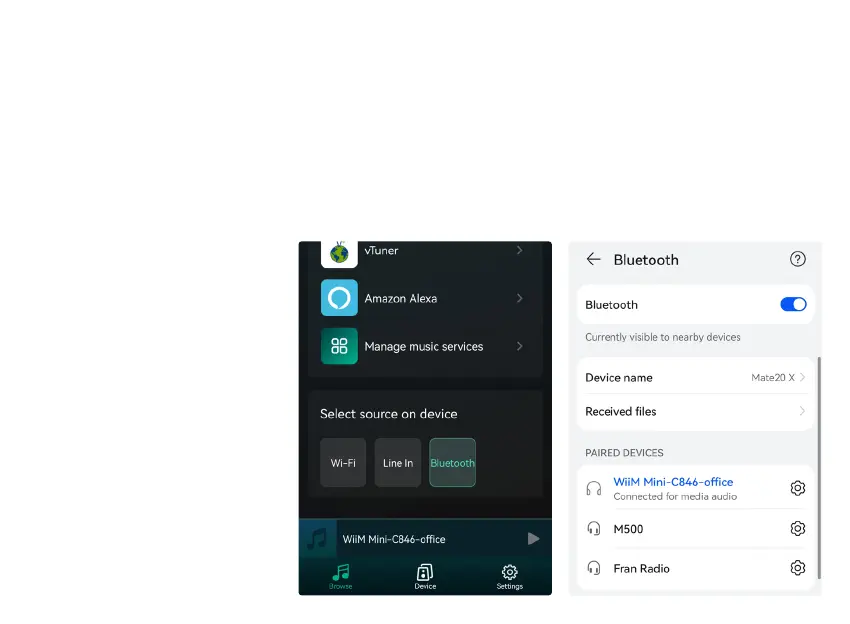
8.2.3 Bluethooth
To use Bluetooth, please swtich
to bluetooth via app or by long
press + & - button at the same
time for 3 secs, then nd bluetooth
device
WiiM Mini
from your phone
bluetooth setting and pair it .


 To Next Page