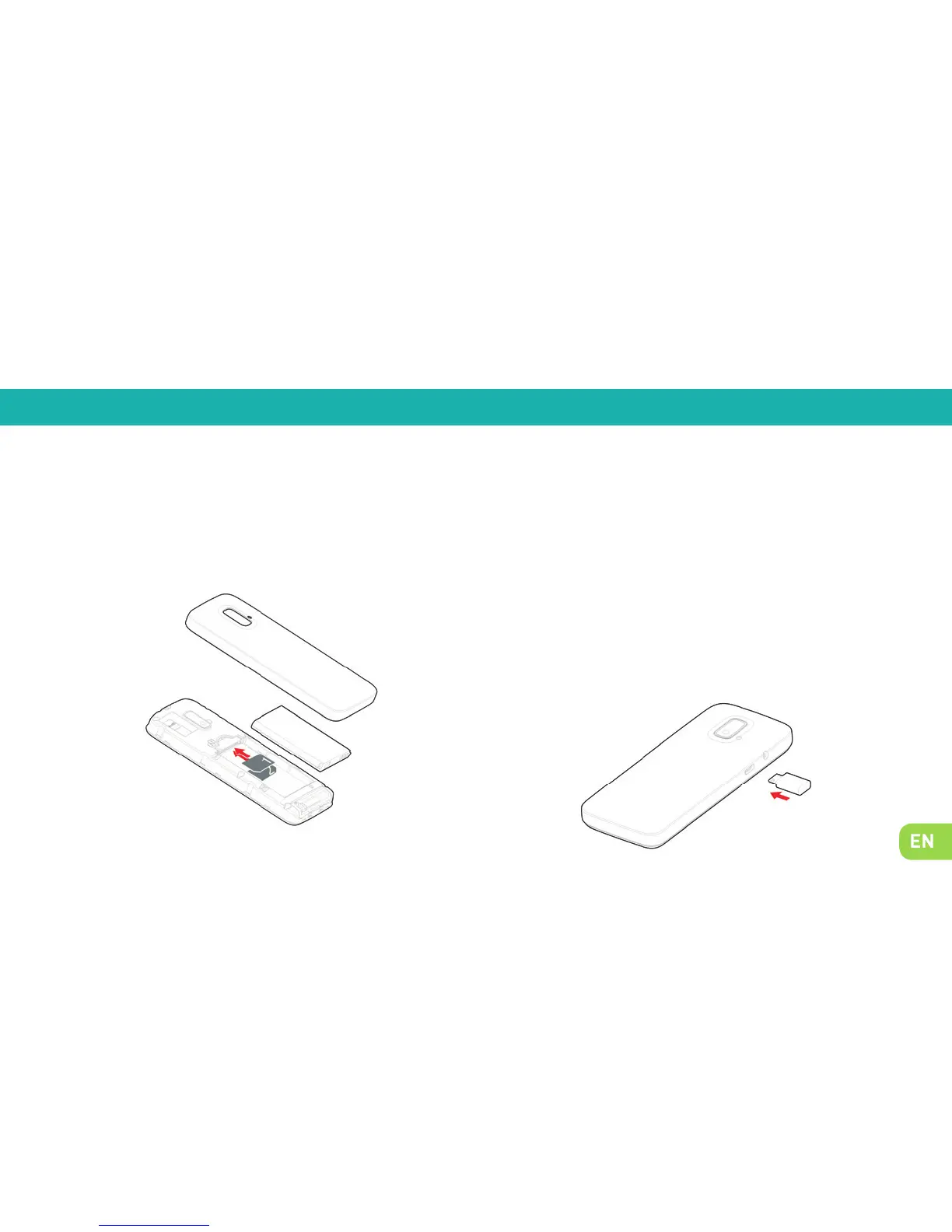
Take off the lid of the battery compartment by means of the
notch on the phone. Insert the SIM cards as shown in next
diagram.
Your phone is powered by a rechargeable battery. To attain
maximum performance, a new battery needs to be fully
charged and discharged three times. Once the battery is
fully charged, disconnect the charger.
When the charger is connected, a fl ashing cylindrical icon
indicates the battery level. When the icon stops flashing,
your battery is fully charged. The battery may heat up when
charging.
2. Setting up
Installing the SIM card Charging your phone


 To Next Page