2. Setting up
Inserting the SIM cards
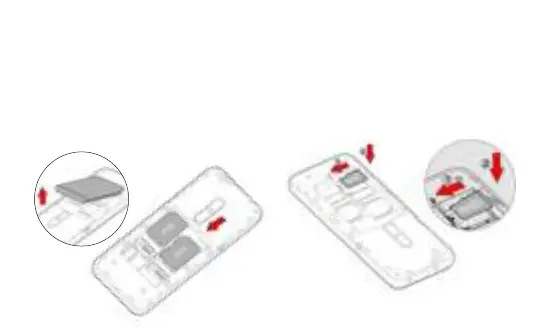
In order to use your telephone, you need to insert
your SIM Card. The back cover of the phone is clipped
on. Please unclip it using the notch on the cover, fol-
lowing the contour of the phone. Insert the SIM cards
following the diagrams below.
Installing Memory Card
Your phones takes a MicroSD memory card of up to
32 GB.
Insert the microSD memory card following the dia-
gram below.


 To Next Page