Getting Started
~ Inserting the SIM Cards
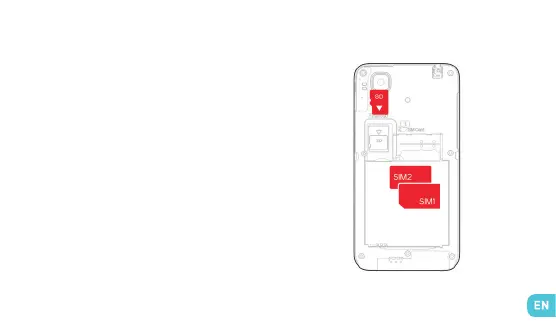
The SIM cards are placed one on top of the other in
the SIM card holder. The top SIM card (slot 1) must be
inserted in the direction shown in the drawing on the
right of the holder (with the SIM card contacts facing
down). To insert the bottom SIM card (slot 2), remove
the rail at the bottom of the holder using the button
on the left, slide in the SIM card in the direction shown
in the drawing on the left of the holder (with the SIM
card contacts facing up), and carefully place the rail
back in its slot.


 To Next Page