5
Connect
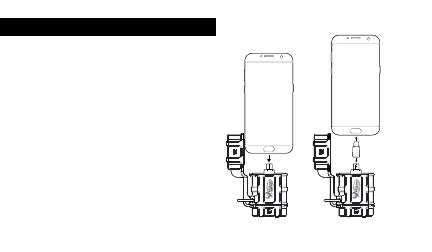
3. Choose the appropriate adapter
based on your device (either
micro USB or Type C). Connect
the selected adapter to the SD
card reader and then plug into
your device.
4. You should see a green light on
the reader to confirm you have a
proper connection.
Type C
Mobile Phone
Micro USB
to Type C
Adapter
Micro USB
Mobile Phone


 To Next Page