Need help?
Do you have a question about the Wildlife Acoustics Song Meter Mini and is the answer not in the manual?
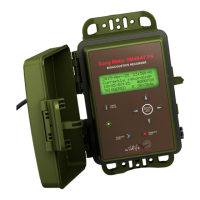
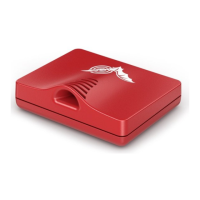
Details the two recorder models: Song Meter Mini and Song Meter Mini Bat, both using the same app.
Describes the recorder's durable, weatherproof design and physical components like mounting brackets.
Details internal components like battery holders, SD card slot, buttons, and LEDs.
Step-by-step guide on how to attach an optional acoustic microphone to the recorder.
Provides checks and advice to maintain the recorder's weatherproofing and prevent leaks.
Explains the optional lid for holding rechargeable lithium-ion batteries, increasing battery life.
Instructions for downloading and installing new firmware to update the recorder's software.
Details how to load configuration settings from an SD card onto the recorder.
Explains how to transfer the current recorder configuration to an SD card.
Guide to downloading and installing the Configurator app on Android and iOS devices.
Explains the Bluetooth protocol used for communication between the app and the recorder.
Describes the initial screen displaying detected recorders and how to manage them.
Details the information displayed for a detected recorder, including status and battery level.
Step-by-step guide on how to pair the Song Meter Mini with the Configurator app.
Instructions for unpairing the current recorder and pairing with a new one.
Explains how to edit configuration and settings for a paired recorder.
Covers parameters for ultrasonic audio recording, specific to the Song Meter Mini Bat.
Details parameters for acoustic audio recording for both Mini and Mini Bat models.
How to set location and time zone, which is embedded in file metadata.
Guides users on setting up recording schedules, including custom and preset options.
Provides examples of how to build recording schedules using blocks.
Accessing utility functions like testing microphones, formatting SD cards, and restoring defaults.
Instructions for testing the ultrasonic microphone using a calibrator.
Procedure for testing the acoustic microphone's sensitivity with a calibrator.
Managing saved configuration files, including creating, editing, sharing, and downloading.
Steps to remove the SD card and copy audio files to a computer for analysis.
Explains the standard .wav audio file format, including embedded metadata.
Describes .zc files created by the Mini Bat, which are smaller and represent frequency.
Details the metadata embedded in recording files according to the GUANO standard.
Overview of Kaleidoscope Pro for sorting, labeling, and identifying bird, frog, and bat recordings.
Information on using third-party audio applications to open recorded files.
Table detailing physical dimensions, weight, power, material, and environmental specs.
Specifications for recording format, sample rate, channels, and microphone characteristics.
Estimates of battery life for different battery types and recording modes.
 General
| Bit Depth | 16-bit |
|---|---|
| Battery Type | 4 AA batteries |
| Operating Temperature | -20°C to 60°C |
| Frequency Response | 20 Hz to 24 kHz |
| Sample Rate | 8 kHz to 48 kHz |
| Storage | microSD |
| Water Resistance | IP67 |
| Recording Format | WAV |
| Channels | Mono |
| Microphone Type | Omnidirectional electret condenser |
| Battery Life | Up to 240 hours (varies with settings and battery type) |


 To Next Page