18
EN
INSTRUCTION MANUAL · HEAT PUMP
HOW TO USE
INTRODUCTION FOR BUTTONS ON REMOTE CONTROLLER
Note:
• This is a general use remote controller, it could be used for the air
conditioners with multifunction; For some function, which the model don’t
have, if press the corresponding button on the remote controller that the unit
will keep the original running status.
• After putting through the power, the air conditioner will give out a sound.
Operation indictor “ ” is ON. After that, you can operate the air conditioner
by using remote controller.
• Under on status, pressing the button on the remote controller, the signal
icon “ “ on the display of remote controller will blink once and the air
conditioner will give out a “de” sound, which means the signal has been sent
to the air conditioner.
• As for the models with functions of WiFi or wired controller, the indoor unit
must has been controlled by standard remote controller under auto mode
rst, and then the function of adjustable temperature under auto mode can
be realized by APP or the wired controller.
• This remote controller can adjust the temperature under auto mode. When
matching with the unit which is without the function of adjustable temperature
under auto mode, the set temperature under auto mode may be invalid, or
the displayed set temperature on the unit is not same as that on the remote
controller under auto mode.
ON/OFF button
Press this button, the unit will be turned on, press it once more, the unit will be
turned off.
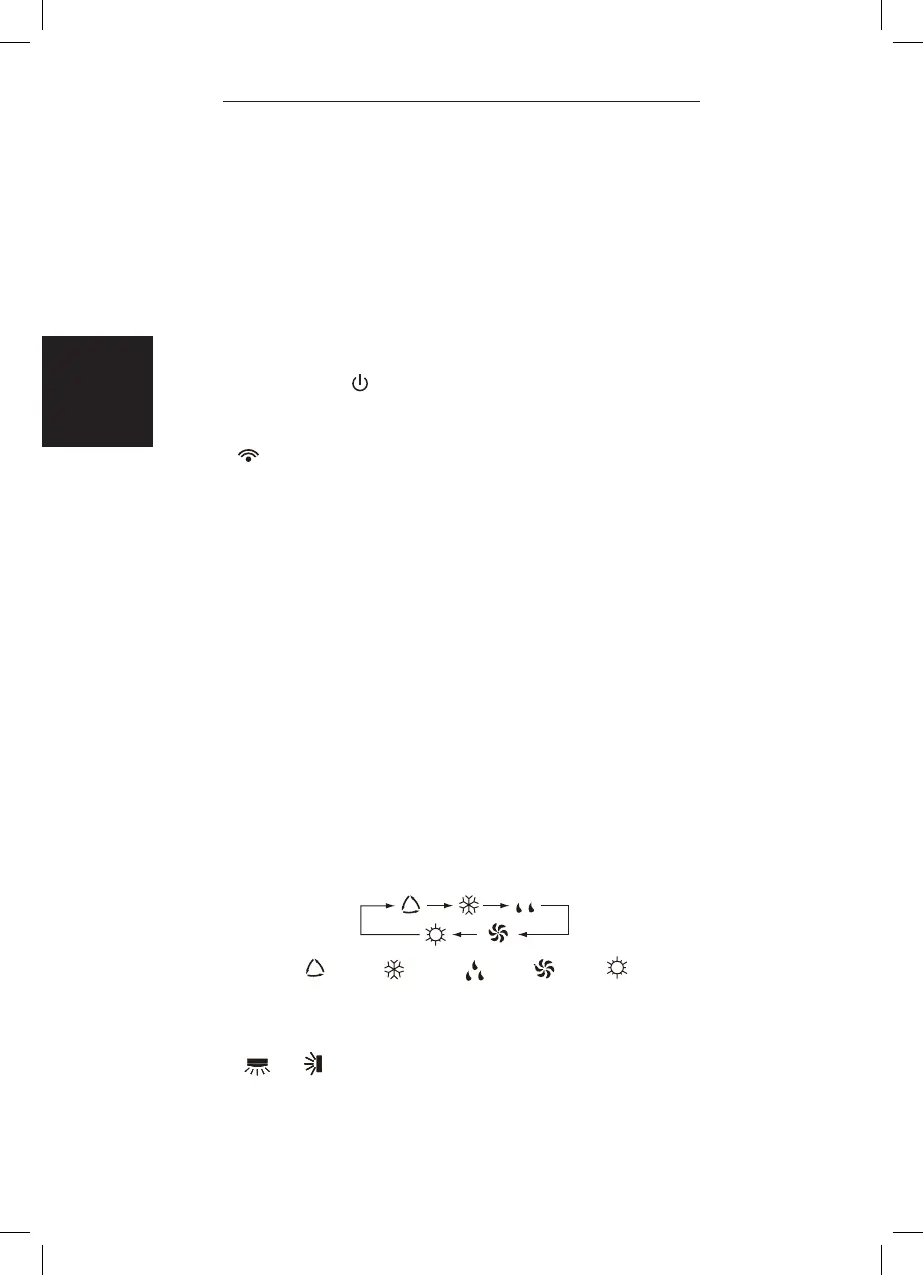
MODE button
Press this button to select your required operation mode.
AUTO COOL DRY FAN HEAT
• When selecting auto mode, air conditioner will operate automatically
according to ex-factory setting. Press “FAN” button can adjust fan speed.
Press “ ” / “ “ button can adjust fan blowing angle.


 To Next Page
 Loading...