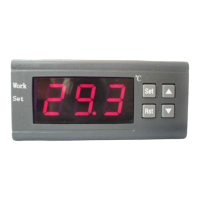
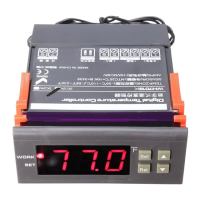
with "▲" or "▼" key adjusted to the screen, appearing "HS" or "LS" code,
press the "SET" key to display the upper or lower limit set value, Then press
"▲" or "▼" key to adjust the parameters. HS means upper limit. LS means
lower limit.
For example: the upper and lower limits are used to limit the range of control
temperature that can be set, such as: LS is 10, HS 20, then press the SET key
to adjust the temperature control, it can only be varied between 10 and 20.
◆High temperature alarm:
If the measured temperature> set temperature + AH alarm output relay. Thermostat alarm
will sound, the display alternately shows H and the current temperature. Alarm, press any
key to stop the alarm and relay output.
◆ High temperature alarm settings:
Press "SET" button and hold more than 3 seconds to enter the menu display, with "▲" or
"▼" button transferred to the screen appears "AH" code, press the "SET" key to display
the high-temperature alarm settings, press "▲ "or" ▼ "key to adjust the parameters
◆ Low temperature alarm function:
If the measured temperature "set temperature-AL when the alarm output relay.
Thermostat alarm will sound, the display alternately shows L and the current temperature.
Alarm, press any key to stop the alarm and relay output.
◆ low temperature alarm settings:
Press "SET" button and hold more than 3 seconds to enter the menu display, with "▲" or
"▼" button transferred to the screen appears "AL" code, press the "SET" key to display
the low temperature alarm settings, press "▲ "or" ▼ "key to adjust the parameters
◆ Menu code selection:
Symbol Details Setting
range
Factory
settings
Units
HC
Heating /
cooling
H/C C
D
Hysteresis
0.1~15
1.0 ℃
LS
The minimum
set limit
-9.9~99.9
-9.9 ℃
HS
The maximum
set limit
-9.9~99.9
99.9 ℃
CA
Temperature
calibration
-5.0~+5.0
0.0 ℃
PT
Delay time
0~10
1
Minutes
AH
High temperature
alarm
0~15
1.0 ℃
AL low temperature
alarm settings
0~15
1.0 ℃
fault tips:⑥
1)When the sensor disconnected, the screen displays --- and close the
heating wire
2)When the sensor detects the temperature is below -9.9 degrees, the screen
displays LLL
3)When the sensor detects a temperature higher than 99.9 degrees, the
screen displays HHH
Caution for using:⑦
Cooling, heating load must not exceed the output contact capacity, or it ◆
may result in machine damage and cause a fire.
PDF 文件使用 "pdfFactory Pro" 试用版本创建 www.fineprint.cn


 To Next Page
 Loading...