4
USING YOUR DISHWASHER
Control Panel
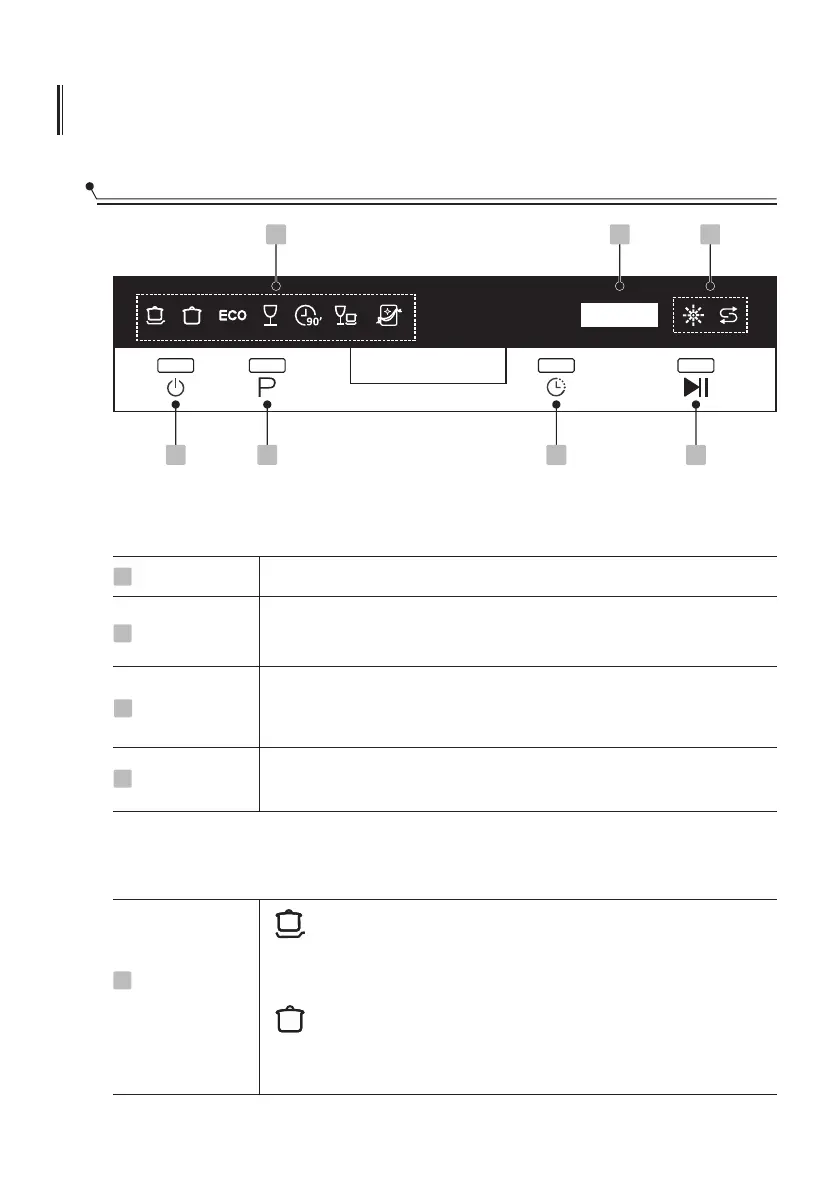
Operation (Button)
Power
1
Press this button to turn on your dishwasher
Press the button to start the selected washing program or pause
the working program
4
Start / Pause
2
Program
Press the Delay button to increase the delay start time. Delay a
cycle for up to 24 hours in one-hour increments. After setting
the delay time, press the Start/Pause button to start.
1 2 3 4
5
67
Delay
3
Press this button to select the appropriate washing programme,
the programme indicator will be lit.
Display
Intensive
For heaviest soiled crockery, and normally soiled pots, pans,
dishes etc. With dried-on food.
5
Program
indicator
Universal
For normally soiled loads, such as pots, plates, glasses
and lightly soiled pans.



 To Next Page