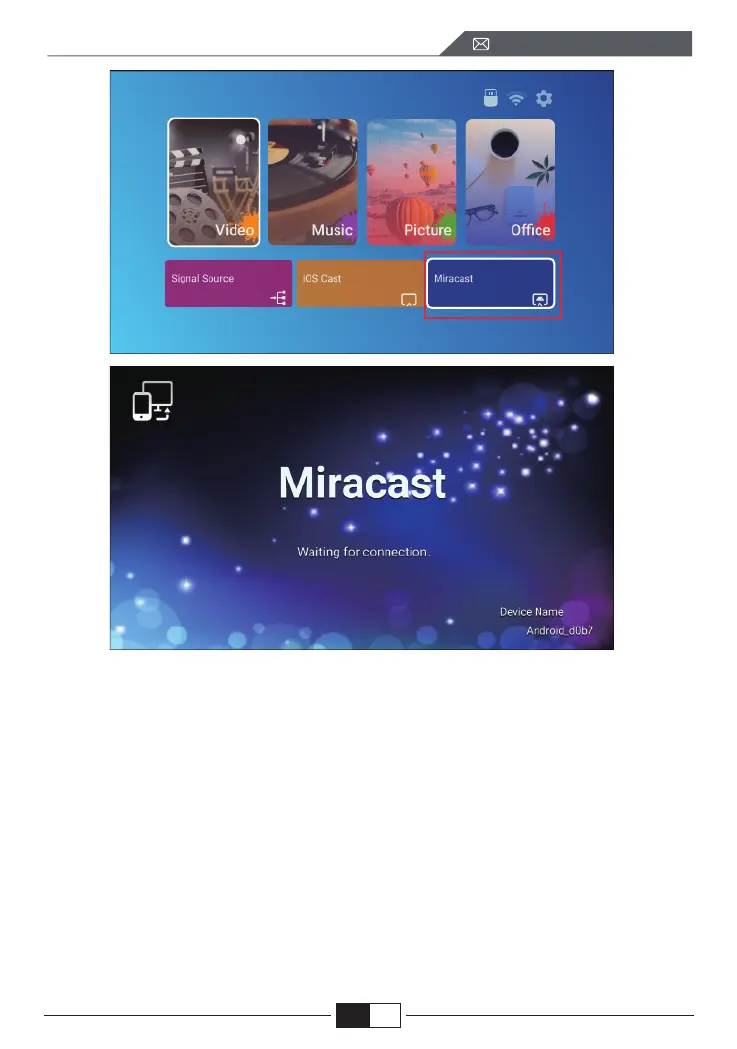
2. Select the [ Settings ] menu on your Android device -- Select the [ Screen
mirroring ] function -- Select your Miracast receiver named [BJ_39127 ] -- your
Android device screen will be displayed on the projection screen after 3
seconds.
3. On your Android device, tap [ Settings ] -[ WLAN Display ] -Turn [ Wi-Fi ]
ON, Connect your home WiFi.
Note:
1.Different brands of Android phones have different operations for select
Screen Mirroring Display, please refer to your phone’s manual. [
Multiscreen/Wireless display/WLAN display/Screen mirroring/Wireless
projection/Smart view etc. ]
2. Not all Android phones support this function. Please make sure it is support-
ed before use.
EN
support01@wimius.com



 To Next Page