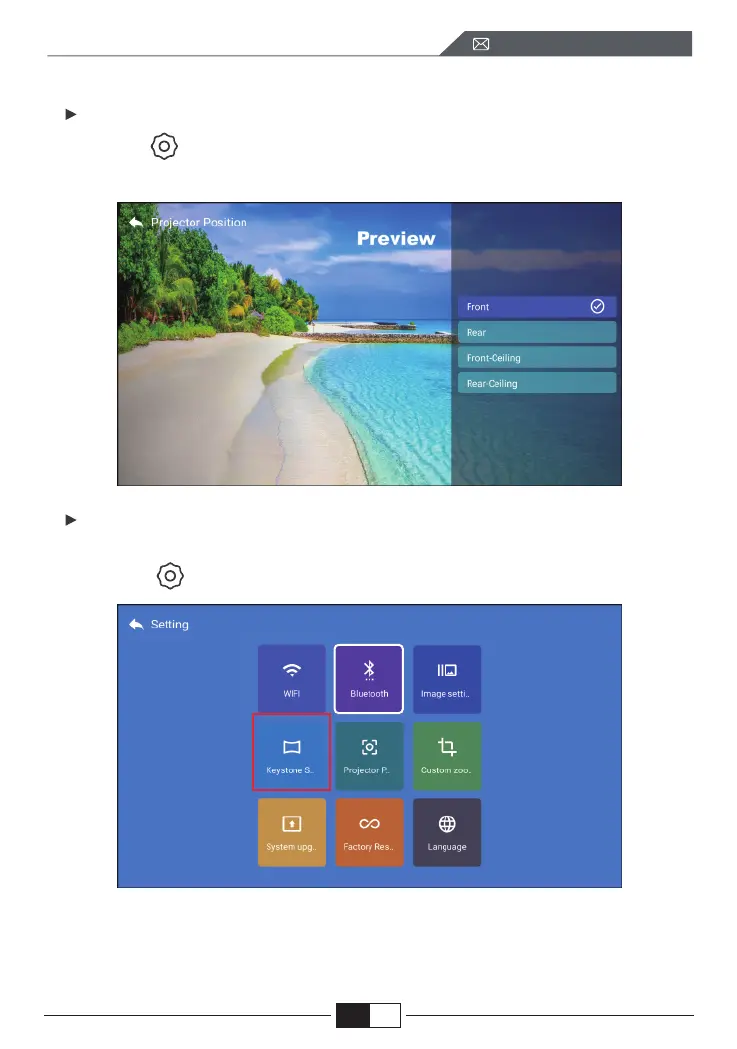
5.1.Projection Mode
5.2.Keystone Advanced & 4-Point Keystone
5.Projector Image Setting
Select the [ ] menu -- Select the [ Projection Position ] Option Press arrow
key to select and press “OK” to confirm projection position.
1. Keystone correction
Select the [ ] menu -- Select the [ Keystone Setting ] Option
The projector has both 4-sided trapezoidal and 4-corner trapezoidal correction
functions. You can not only adjust the image horizontally or vertically, but also
adjust the four points to make the projected image a rectangle.
EN
support01@wimius.com



 To Next Page