support01@wimius.com
EN27
1)Connect to the computer and S27 projector with the HDMI cable.
2)Select the HDMI source to project any les on your computer;
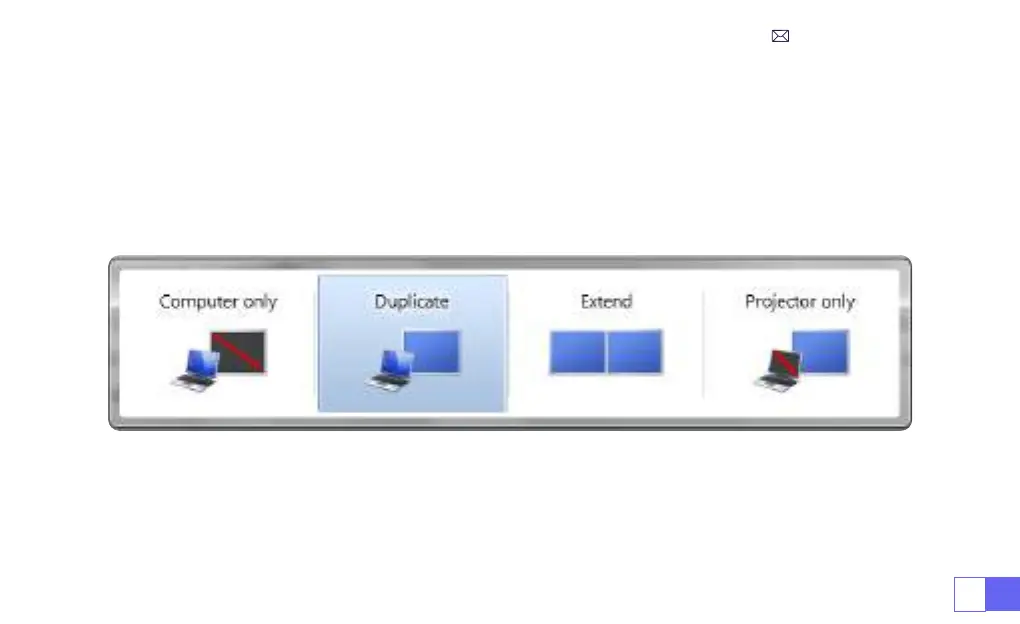
3)On your laptop, hold down the key “Win+P” board keys to change your display mode.
1)
Computer only:
This is the default option and will display the screen only on the main monitor.
2)
Duplicate:
To duplicate your desktop on all connected monitors.
3)
Extend:
To extend your desktop across multiple monitors.
4)
Projector only:
Use the secondary monitor (projector) only and keep the main monitor off
NOTE:
For MacBook, Use a Type-C to HDMI adapter to connect your MacBook, or a Mini Display to HDMI adapter to
connect with your MacBook Air (adapter not included).
5.Connect to Computer



 To Next Page