
 To Next Page
J
Jacqueline WilkinsAug 6, 2025
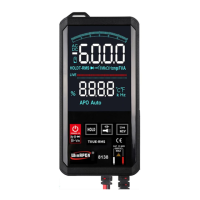
What to do if my WinAPEX ET8138 shows a low battery symbol?
- RRobin KochAug 6, 2025
If your WinAPEX Multimeter displays a low battery symbol, replace the battery.

What to do if my WinAPEX ET8138 shows a low battery symbol?
If your WinAPEX Multimeter displays a low battery symbol, replace the battery.
What to do if current is not input on my WinAPEX Multimeter?
If current is not being input into your WinAPEX Multimeter, replace the fuse.
What to do if my WinAPEX ET8138 Multimeter resistance display shows an error?
If your WinAPEX Multimeter's resistance display shows an error, it could be due to the test pen not making proper contact. Ensure the test pen is making good contact.
Explains the meaning of safety symbols used in the manual and on the device.
Lists key attributes such as display mode, measurement method, and working environment.
Details power source, physical dimensions, and included accessories.
Describes the simulation bar, LCD display, and various indicators on the panel.
Explains the operation of special keys, power management, and function switching.
Details procedures for NCV/LIVE wire measurement and input port usage.
Details specifications for automatic DC/AC voltage scanning tests including range and accuracy.
Specifies accuracy, resolution, and operation for resistance measurements.
Outlines specifications for continuity, diode, and capacitor testing functions.
Specifies accuracy, resolution, and operation for capacitance measurements.
Details specifications for Non-Contact Voltage (NCV) and frequency measurements.
Lists common failure phenomena and their corresponding inspection methods.
 General
| Brand | WinAPEX |
|---|---|
| Model | ET8138 |
| Category | Multimeter |
| Language | English |