-2-
Operation
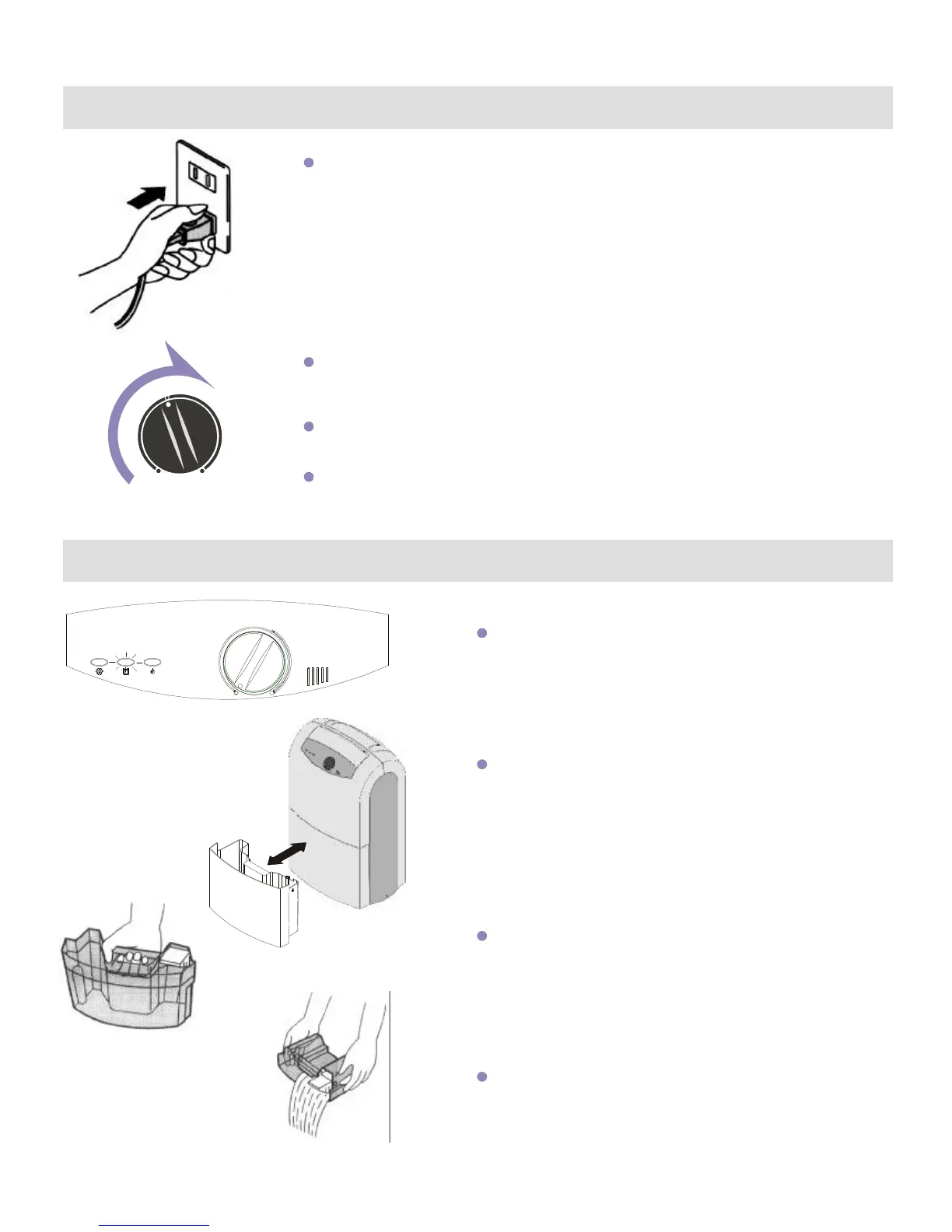
Insertthepowerplugsecurely.
EmptyingtheWater Tank
Rotate the humidity dial to the desired setting, and the dehumidifier will
automatically come on if the humidity level inside the room exceeds
the selected setting.
Upon reaching the desired humidity level, the dehumidifier will
automatically stop.
The dehumidifier will automatically turn back on once the humidity
level exceeds the selected setting.
When the water tank is full, the indicator light will
illuminate and the dehumidifier will automatically
shut off.
Remove the water tank, empty water, place tank
back in unit and unit will return to operation mode.
Hold the water tank by the handle as shown.
Hold the tank by the sides with both hands to
empty the water.



 To Next Page