11
OPERATIONS
Wine cabinet operation
Your wine cabinet has a control panel with display on the front of the door. It includes several
functions that allow you to control the temperatures of both the upper and lower zones of your wine
cabinet.
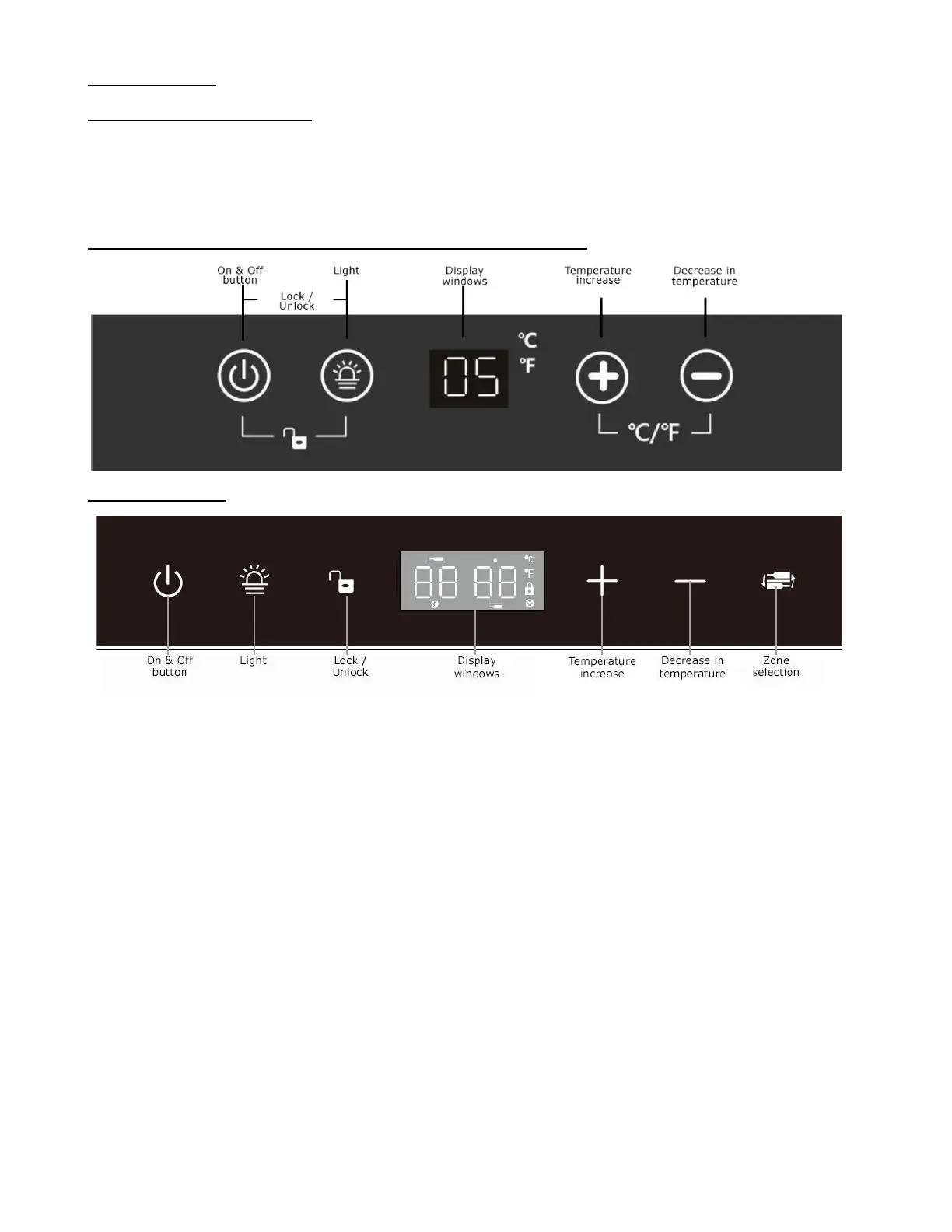
1 zone model (Including WC1958PLBC & WC38SSTBC5)
2 zones model
ON & OFF button
Switches the wine cabinet on or off.
Press and hold for 3 seconds.
Press lightly to activate standby mode.
Light
Switches the interior lighting on and off (3 options)
Control Panel (padlock)
Press the PADLOCK icon for 3 seconds to lock or unlock the control panel. In the case of
the 1 zone model, press the 2 left buttons simultaneously.
Display window
Displays set and actual temperature as well as operation icons.


 To Next Page