AN-203A Water Level Monitor User Manual
12
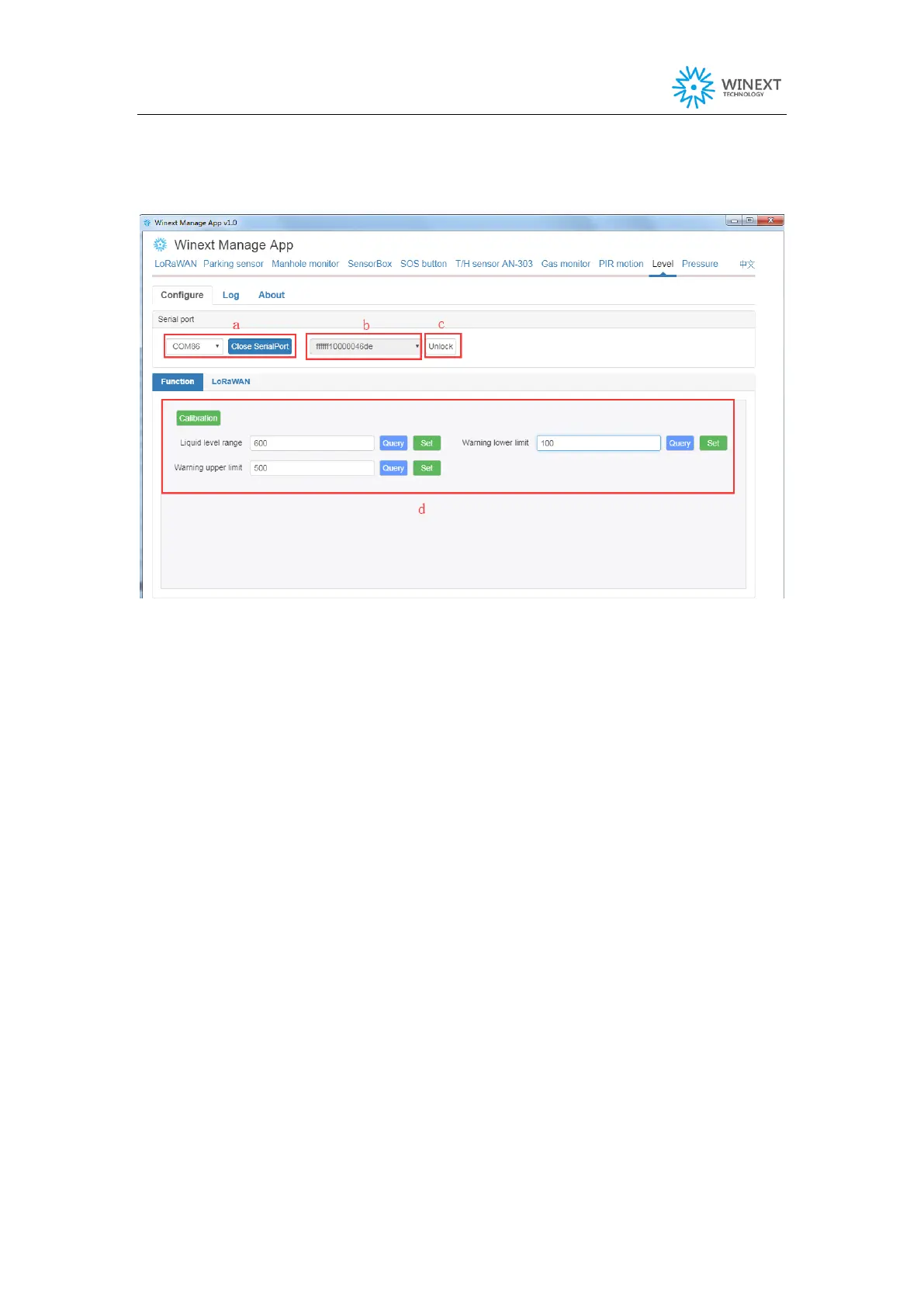
(3) Open Winext manage APP and click on “Level” button.
Select port and open it.
a. Select port, click on Open.
b. Reboot device and its DevEUI will be shown in the dropdown list.
c. Select the target device, click on Device Locked
d. Select the parameters to query or set. If it returns OK on the data receiving interface,
it indicates configuration done.
Note:
In wireless configuration mode, if there is no operation within 15s it will exit
automatically.
Device Calibration: This action requires zero calibration before the device is
connected. The measurement unit is cm for water level range, upper alarm threshold
value and lower alarm threshold value.


 To Next Page