SECTION 4 –
APPLIANCES AND SYSTEMS
4-8
MICROWAVE OVEN
–If Equipped
Refer to the manufacturer’s user guide located
inside the appliance for complete operating
instructions.
SYSTEMS MONITOR PANEL
(Model 70A and 70X)
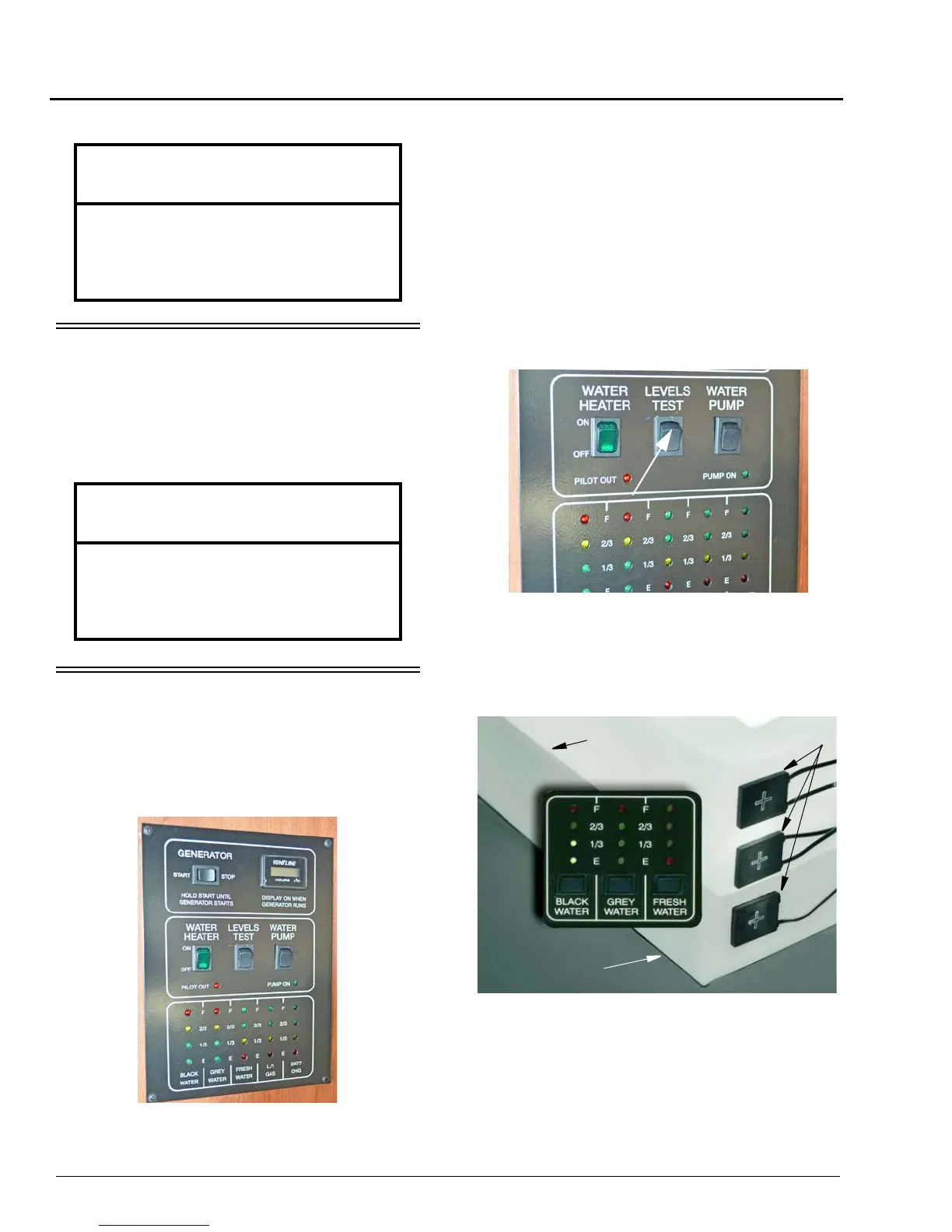
The Systems Monitor Panel provides a
convenient central location for checking the
condition of all utility systems in your coach.
At the touch of a button this panel will display
the fresh water and holding tank levels, propane
gas tank level, plus the house battery condition.
You can start the generator or turn on the water
pump and water heater. Indicator lights tell you if
the water pump is on or if the water heater pilot
light is out.
Water And Holding Tank Levels
Press and Hold the Levels Test switch to show
approximate level on the monitor lights.
The approximate fluid levels are measured by
electronic sensors on the sides of the tanks. There
is generally more fluid in a tank than indicated on
the monitor panel.
For example, if the fluid level is 1-2” below
the FULL sensor, the monitor will show the level
to be only 2/3 even though the tank is nearly full.
NOTICE
Turn off the range and allow it to cool
before closing the range cover. The range
cover is made of glass and may shatter
when heated.
NOTICE
Do not store items in oven.
If oven would turn on stored items can
ignite resulting in fire and or property
damage.
Water Tank
Water Level
Sensors





 To Next Page