Chapter Three: How to use gps trakcer ?
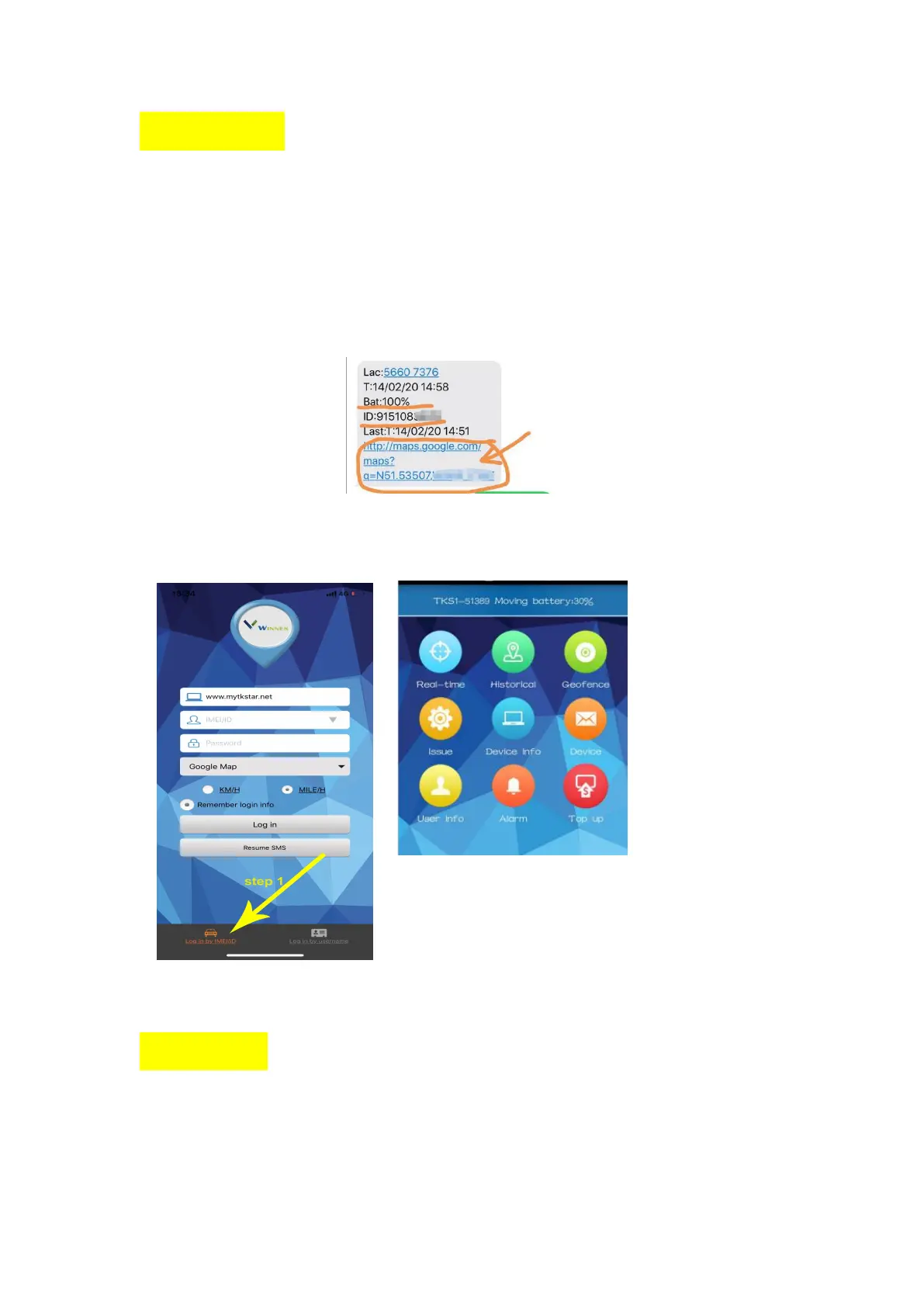
You can track and locate through two methods, the first is SMS/phone positioning, and the other
is APP/ website positioning.
( 1 ) SMS/phone positioning: make sure you have insert sim card in right way and Already put
the device outdoors.
Now please use your mobile phone call to tel number in tracker. It will hangs up after a few rings.
Then you will receive a location message with google maps link.
Or you can text locate command “g123456#” to tracker, you will get a location message too.
( 2 ) APP/ website positioning: This method is based on the success of the first method. If
the first method is not successful, it cannot be performed.
Chapter Four: Setting APN
SMS positioning is successful, but the APP display is not enabled, don’t worry, you just need to set
APN. Please text command to tracker one by one. If you phone is iphone system, please don’t use
imessage but text format.
SMS command format as below:


 To Next Page