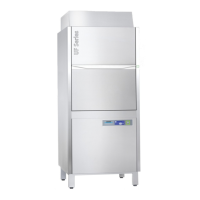
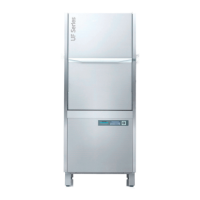
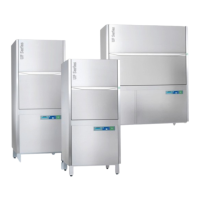
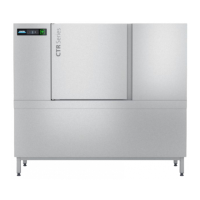
This manual describes the process of connecting a Winterhalter warewasher to a network using the "CONNECTED WASH" feature. The instructions are applicable to UC Series (V02), PT Series (V02), and CTR Series machines equipped with a black display. The primary function of CONNECTED WASH is to enable data transfer between the warewasher and a network router, allowing for remote monitoring and management of the machine.
Function Description:
CONNECTED WASH facilitates the integration of Winterhalter warewashers into a network, enabling the transmission of operational data. This connectivity allows users to access information about their machine's performance, status, and potentially receive alerts or updates. The process involves three main steps: activating CONNECTED WASH on the machine, checking the network connection, and verifying the date and time settings to ensure accurate data transfer. The system supports both LAN (Local Area Network) and WLAN (Wireless Local Area Network) connections, offering flexibility in deployment. Once connected, the warewasher can send data to the Winterhalter CONNECTED WASH platform, which can be accessed via a web portal. This platform provides insights into machine usage, consumption, and maintenance needs, contributing to optimized operation and proactive service.
Important Technical Specifications (Inferred from the manual):
- Supported Models: UC Series (V02), PT Series (V02), CTR Series.
- Display Type: Black display.
- Connectivity: LAN (Ethernet cable) and WLAN (Wireless).
- Network Protocols: Implies support for standard network protocols like DHCP (Dynamic Host Configuration Protocol) for automatic IP address assignment, or manual IP configuration.
- Security: For WLAN, WPA2-PSK (Wi-Fi Protected Access 2 - Pre-Shared Key) is mentioned as a supported encryption type, indicating a secure wireless connection.
- MAC Address Filtering: The manual notes the relevance of the warewasher's MAC address if a MAC filter is used on the network, suggesting that the machine has a unique hardware identifier for network access control.
- Data Transmission: The system is designed for data transfer, implying the machine collects various operational parameters.
- Time Synchronization: Requires accurate date and time settings for correct data transfer, suggesting that timestamps are crucial for the integrity of the collected data.
Usage Features:
- Intuitive On-Screen Interface: The manual illustrates a step-by-step process using the machine's display, featuring icons and menu options for navigation. This includes a power button, temperature displays, program indicators, and menu access.
- Network Configuration Options: Users can choose between LAN and WLAN connectivity. For LAN, there's an option to deactivate DHCP if manual IP configuration is preferred. For WLAN, users can select their network from a list or manually add a hidden network.
- PIN Menu Access: Specific settings, including network configuration and date/time adjustments, are accessed through a "PIN Menu," indicating a level of access control to prevent unauthorized changes.
- Connection Status Indicators: The display provides visual feedback on the connection status, including icons for successful connection, connection errors (e.g., "X" icon), and a "FAQ" link for troubleshooting.
- Date and Time Adjustment: The machine allows for manual setting of the date and time, which is crucial for accurate data logging and reporting.
- Registration Process: Users are directed to an external web portal (www.connected-wash.com/start) for initial registration, implying an account-based system for managing connected machines.
- Troubleshooting Support: The manual refers to an online FAQ (http://www.connected-wash.com/faq) and an analysis tool for resolving connection issues, providing self-help resources for users.
- Pairing Functionality: After successful network connection, the machine needs to be "paired" with the CONNECTED WASH system, which is the final step to activate the data transfer.
Maintenance Features (Inferred from the "CONNECTED WASH" concept):
While the manual primarily focuses on connectivity, the overarching concept of "CONNECTED WASH" inherently includes maintenance-related benefits:
- Proactive Service: By transmitting operational data, the system can potentially enable predictive maintenance, alerting users or service technicians to potential issues before they lead to machine downtime.
- Remote Monitoring: The ability to monitor machine status remotely can help in identifying performance deviations or error codes, facilitating quicker diagnosis and resolution of problems.
- Consumption Tracking: Data on water, energy, and chemical consumption can be tracked, allowing for optimization of resources and identification of inefficiencies.
- Usage Statistics: Insights into machine usage patterns can help in scheduling maintenance based on actual operational hours or cycles, rather than fixed intervals.
- Software Updates: Although not explicitly stated in this manual, connected devices often receive over-the-air software updates, which can improve functionality, fix bugs, and enhance security.
- Data-Driven Optimization: The collected data can be analyzed to optimize washing programs, improve operational efficiency, and extend the lifespan of the machine.
In summary, this manual guides users through the essential steps to connect their Winterhalter warewasher to a network, unlocking the benefits of the CONNECTED WASH system for enhanced monitoring, management, and potentially proactive maintenance.

 Need help?
 General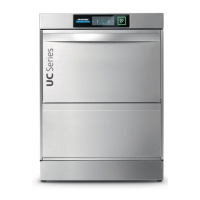

 To Next Page