
 Need help?
Do you have a question about the Wiseair WAFS-103 and is the answer not in the manual?
Precautions for safe handling of compressed air systems to prevent injury.
Guidelines for electrical safety during installation and maintenance to prevent shocks.
General advice on proper installation, calibration, and maintenance procedures.
Explains the benefits and applications of flow meters in compressed air systems.
Describes the technology and advantages of pitot tube flow meters for various gas applications.
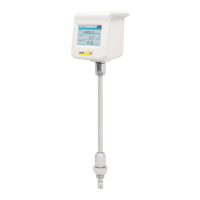
Lists the main features and capabilities of the WAFS-103 flow meter.
Lists all items included with the WAFS-103 flow meter unit upon purchase.
Information on available accessories that can enhance the functionality of the flow meter.
Details the minimum and maximum flow rates for various pipe sizes.
Selecting an appropriate pipe section, orientation, and ensuring adequate clearance from obstructions.
Step-by-step installation process, vertical mounting, and practical installation scenarios.
Instructions for installing the sensor, aligning its tip correctly within the pipe.
Ensuring the sensor is correctly aligned with the direction of gas flow for accurate measurements.
Overview of the touch screen interface, home screen layout, and menu navigation.
How to unlock the screen and adjust screen timeout settings for security and power saving.
Setting measurement units and selecting the appropriate gas type for accurate readings.
Configuration of Modbus communication parameters such as Baud Rate, Parity, and Device Address.
Configuration of 4-20mA analog output, including scaling and pulse output settings.
Overview of Modbus holding registers for accessing flow meter data.
Default values for Baud Rate, Parity, Stop Bit, and Response Delay.
Steps to configure data logging, including naming, sample rate, and wrap-around settings.
Instructions for initiating and terminating data logging sessions.
Procedures for downloading logged data to a USB drive and deleting historical records.
Adjusting screen rotation, brightness, and screen lock timeout settings.
Setting the display language and viewing system information like serial number and firmware version.
Instructions for updating the flow meter's firmware via a micro USB drive.
Capturing, viewing, exporting, and deleting screen shots from the device.
Adjusting normalization settings when operating conditions differ from standard calibration.
Information on accessing advanced settings, recommending contact with the dealer or WiseAir.
Details the 12-month warranty coverage, exclusions, and conditions for the flow meters.
Information on sensor calibration frequency, process, and exclusion from product warranty.
Guidance on seeking help from local dealers or directly contacting WiseAir Technologies for support.
Guidance on scrolling and accessing all menu items on the device.
Solutions for unresponsive touch screen issues, including cleaning and ensuring screen lock is off.
Steps to unlock the screen and change the sensor's display language.
Guidance on resolving incorrect sensor readings and proper sensor cleaning procedures.
Fields for Part Number, Serial Number, installation date, and calibration validity.
Checklist for verifying correct installation, wiring, sensor settings, and display readings.
 General
| Brand | Wiseair |
|---|---|
| Model | WAFS-103 |
| Category | Measuring Instruments |
| Language | English |

 To Next Page