EasyManua.ls Logo

Wisenet SNK-B73041BW - User Manual

Wisenet SNK-B73041BW
66 pages
Print Icon
To Next Page IconTo Next Page
Loading...
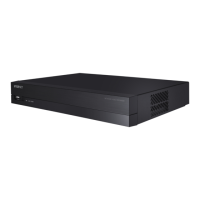
SNK-B73041BW
NETWORK VIDEO RECORDER
User Manual

Other manuals for Wisenet SNK-B73041BW

Questions and Answers

  • E
    Erik GarciaAug 14, 2025
    How to prevent Wisenet SNK-B73041BW Network Hardware NVR from overheating?
    • J
      Joseph JohnsonAug 14, 2025
      To prevent your Wisenet Network Hardware NVR from overheating, place it in a location with good air circulation and away from heat sources. This helps ensure the stability and longevity of the NVR.
  • S
    smithjohnAug 17, 2025
    Why can't I find any playback records on my Wisenet SNK-B73041BW Network Hardware?
    • N
      nicholas94Aug 17, 2025
      If you're not finding any playback records on your Wisenet Network Hardware device, first, verify the HDD data line connection is secure and that the system time is correctly set. Try restarting the system. If the problem persists, the HDD may be defective.
  • H
    Heather GainesAug 20, 2025
    What to do if Wisenet SNK-B73041BW system does not detect the HDD?
    • P
      Paul TaylorAug 20, 2025
      If the system does not detect the HDD, check the power supply system to ensure it is properly connected. Also, verify that the data cord and power cables are securely connected and that there are no issues with the HDD interface. Refer to the specifications or descriptions to confirm that your HDD is supported.
  • J
    Jennifer OwensAug 25, 2025
    Why does the buzzer keep alarming on my Wisenet SNK-B73041BW Network Hardware?
    • K
      Kevin MuellerAug 25, 2025
      If the buzzer on your Wisenet Network Hardware is constantly alarming, examine the alarm settings. Check if the motion detection function is enabled and continuously detecting motion. Also, review the corresponding HDD alarm settings.
  • B
    Benjamin BennettAug 28, 2025
    Why can't I log in to my Wisenet SNK-B73041BW NVR client?
    • K
      Kelsey MaloneAug 28, 2025
      If you cannot log in to the Wisenet Network Hardware client, verify that the network connection settings are correct. Also, double-check that you are entering the correct account and password.
  • S
    Sarah FlemingAug 31, 2025
    What to do if Wisenet SNK-B73041BW Network Hardware shows no video signal?
    • L
      laura27Aug 31, 2025
      If you are experiencing abnormal or no video signal when connecting the NVR and camera, first, check the network cable on the NVR side to ensure it's firmly connected and not damaged. Replace the cable if necessary. Also, confirm that NTSC or PAL is selected consistently on both devices.
  • F
    fieldswalterSep 3, 2025
    Why doesn't dynamic detection work on my Wisenet SNK-B73041BW Network Hardware?
    • D
      Daniel GarciaSep 3, 2025
      To get the dynamic detection working, ensure that the motion detection sensitivity level is not set too low and that the motion detection area setting is configured correctly.
  • S
    shannon50Sep 7, 2025
    What to do if Wisenet SNK-B73041BW NVR remote controller doesn't work?
    • C
      Cheyenne ThompsonSep 7, 2025
      To operate the remote controller of your Wisenet Network Hardware NVR, aim it at the IR receiver on the front panel. If it still doesn't work, check the batteries. If the batteries are not the problem, the remote controller may be broken.
  • S
    syoderSep 9, 2025
    Can I use a HDD from my PC in Wisenet SNK-B73041BW NVR?
    • B
      billwongSep 10, 2025
      All HDDs supported by the Wisenet Network Hardware system can be used. However, be aware that once the NVR runs, the data on your HDD will be lost.

Wisenet SNK-B73041BW Specifications

General IconGeneral
ModelSNK-B73041BW
BrandWisenet
Video CompressionH.265, H.264, MJPEG
Onvif SupportYes
Ingress ProtectionIP66
Vandal ResistanceIK10
TypeNetwork Camera
Focal Length2.8mm
Day/NightYes
Bit Rate ControlVBR/CBR
Network InterfaceRJ45 (10/100BASE-T)
ProtocolsTCP/IP, HTTP, HTTPS, FTP, SMTP, DHCP, DNS, DDNS, NTP, RTSP, RTP, UDP, ICMP, IGMP, SNMP
Power SupplyPoE (IEEE802.3af, Class2)
Operating Conditions-30°C ~ +60°C (-22°F ~ +140°F)
Night Vision30m

Related product manuals