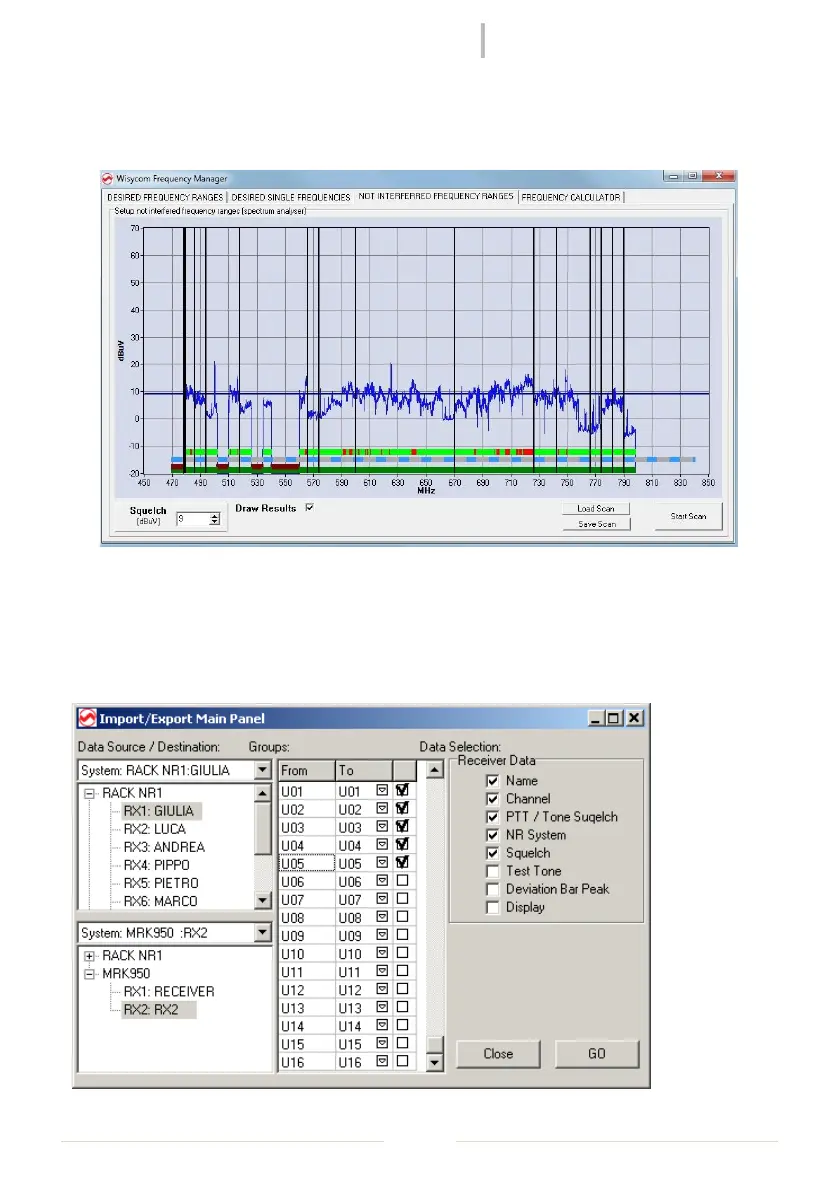
After the calculation of the solutions, going back to the “NOT INTERFERRED FREQUENCY
RANGES” panel to view the results in the graphic (to show the results, check “Draw Results”
under the graphic). It’s possible to zoom the graphic simply selecting the desiderate
Setup Copy/Import/Export
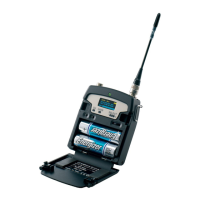
The user can easily copy/import/export the whole configuration of the connected systems
between the system itself, part of that, or files. The window designed for this operation is
accessible in Management->Import/Export in the main menu.
Figure 8: Import/Export Window



 To Next Page