1 Check all parts of the package box
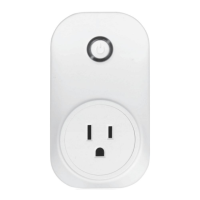
There are two parts of the box. The big one is GD801C with an outlet,
and the other one is GD801S.
A. Check with compatible list and incompatible list page.
C. Check with user manual.
D. Can your garage door opener be controlled by wall console? If
yes, it is compatible.
3
Install Mobile App & Create Account
A. Download “WitGarage” app from apple app store or google play
store, and install the app;
B. Launch the app and create an account;
4
Add WitGarage device to app
A. Power on GD801C, wait for some seconds until the led indicator
blinks fast with red color;
B. Add WitGarage device to WitGarage app follow the app tips;
C. Flip GD801S 90 degrees, bind GD801S to GD801C,
D. Make sure the led indicator of GD801C is solid green after you
finished all settings above;



 To Next Page