
 Need help?
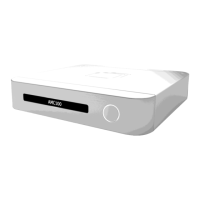
Do you have a question about the Wittenstein attocube AMC100 and is the answer not in the manual?
Explains the manual's scope and availability for AMC100 users.
Details warning notes and symbols used throughout the manual for safety.
Explains design conventions for traceability and information presentation in the document.
Provides compliance statements for Europe and North America, including FCC and EMC directives.
Outlines attocube's end-of-life take-back service and waste disposal responsibilities.
Covers critical warnings regarding electric shock, general hazards, and unauthorized modifications.
Details the labels found on the AMC100 device and their explanations.
Describes the AMC100's purpose as a controller for attocube positioners in lab and industrial settings.
Lists the components included in the AMC100 package.
Specifies requirements for safe and proper operation, including voltage and environmental limits.
Details the necessary specifications for the connected PC.
Describes the physical connectors and ports on the AMC100 device.
Details the various sockets and their functions on the AMC100.
Explains the pin assignment for positioner control cables.
Provides instructions for safely unpacking and placing the AMC100 device.
Guides users on how to connect the AMC100 to a power source safely.
Explains the USB connection procedure for PC communication.
Details how to establish a network connection for the AMC100.
Guides on setting up IP addresses and network configuration for LAN operation.
Instructions for connecting a positioner to the AMC100.
Safety precautions and steps for disconnecting a positioner.
Steps to install the required software for controlling the AMC100.
Introduces the PC-based software for controlling and analyzing positioner movements.
Describes the initial screen for discovering connected AMC100/AMC300 devices.
Provides a general overview of the "Find Devices" screen functionality.
Explains the elements and information within each controller tile.
Details the screen where the actual positioning process is performed.
Gives an overview of the "Operation" screen layout with axis tiles.
Describes the default view of an axis tile for parameter display and control.
Explains how to access and configure individual axis settings.
Describes the screen for managing positioner movements and accessing other functions.
Provides an overview of the "Navigation" screen and its axis tiles.
Details the operation view of an axis tile within the webserver application.
Explains how to configure individual axis settings via the webserver.
Details the screen for adapting settings, updating firmware, and upgrading features.
Gives an overview of the "Configuration" screen sections.
Guides on adapting network settings like IP address and subnet mask.
Explains how to rename the device and its axes.
Covers configuration of trigger communication for input and output signals.
Overview of the "Interface" screen's real-time input and output tiles.
Details setting communication modes and parameters for incoming position commands.
Specifies signal mode for trigger output communication.
Adapts signal type and parameters for trigger output communication per axis.
Provides device information, software details, and feature/upgrade status.
Allows configuration of the remote controller and its button functions.
Step-by-step guide for installing the MOVE software.
Overview of the MOVE software's "Find Devices" screen.
Describes the initial screen for discovering connected devices in MOVE software.
Overview of the MOVE software's "Find Devices" screen.
Explains the elements within a controller tile in the MOVE software.
Details the screen in MOVE software for performing actual positioning.
Overview of the MOVE software's "Operation" screen with axis tiles.
Describes the operation view of an axis tile in MOVE software.
Explains how to restore the last selected axes after software restart.
Describes options for labeling devices and axes to increase transparency.
Guides on how to assign a name to the AMC100 device.
Instructions for naming individual axes for better clarity.
Explains the process of enabling and disabling axes for control.
Guides on selecting the correct positioner type after connecting a positioner.
Details how to adjust various parameters for positioning tasks.
Instructions for uploading predefined configuration files for axes.
Explains the positioning mode without feedback, dependent on physical parameters.
Guides on setting amplitude, frequency, and DC level for motion control.
Instructions on initiating or stopping movements using open loop controls.
Describes the positioning mode with active feedback for high precision.
Steps to enable closed loop positioning controls.
Guides on moving the positioner by a specified distance in closed loop mode.
Instructions for moving the positioner to a specific target position.
Explains how to find and move to a reference mark.
Safety procedures for powering down the AMC100 device.
Guides on adding custom private keys and certificates for secure HTTPS access.
Step-by-step process for updating the AMC100 device firmware.
Instructions for activating additional features and upgrades using license files.
Steps to verify the physical network cable connection to the AMC100.
Troubleshooting steps when a physical network connection exists.
Guides on how to access the webserver application when facing connectivity issues.
Procedures for resetting the device to its original factory settings.
Troubleshooting steps when no network connection is present.
How to retrieve current network settings using a USB flash drive.
How to modify network settings via a USB flash drive.
Detailed steps for factory reset, including saving network settings.
Steps to preserve network settings before a factory reset.
The actual procedure for performing a factory reset.
Methods to measure key aspects of positioner performance.
Details the /IO feature for trigger communication and external interpretation.
Explains the pinout for the GPIO socket for trigger signal communication.
Describes supported communication protocols for outgoing data.
Details the AquadB protocol for position change increment and direction.
Explains the trigger output for positioner range indication.
Lists supported communication protocols for incoming data.
Details AquadB input for closed loop mode.
Explains Stepper protocol for open and closed loop modes.
Details Trigger protocol for open and closed loop modes.
Lists enhanced features activated by the /PRO package.
Describes the remote controller feature, including hardware and activation.
Instructions for powering on the remote controller.
Methods for connecting the remote controller to the device.
Steps for connecting the remote controller via USB cable.
Guides on assigning functions to remote controller buttons and profiles.
Steps to connect the remote controller wirelessly via Bluetooth.
Procedure for pairing the remote controller with the AMC100 device.
How to unpair a connected remote controller.
Instructions for powering off the remote controller.
Explains the feature for compensating rotator runout errors using linear positioners.
Guides on the correct alignment and connection for rotation compensation.
Details managing compensation files (LUT) for the feature.
Steps to import compensation files into the webserver application.
Steps to export compensation file information.
How to activate and deactivate the rotation compensation feature.
Guides on the setup for connecting AMC100 with IDS3010 sensor.
How to check if the AMC/IDS closed loop feature is activated.
Where to find and adjust AMC/IDS closed loop settings.
Selects between NUM and IDS sensor types for closed loop positioning.
Adapts IDS measurement direction to positioner movement direction.
Sets threshold to prevent mechanical noise regulation in closed loop.
Configures stop limits for IDS measurement to prevent interruptions.
Accesses important IDS control functions via the AMC100 web interface.
Enables pilot laser for easing optical alignment of axes.
Guides on checking and maximizing signal contrast for optics alignment.
Initializes interferometric distance measurement using the IDS sensor.
Configures environmental compensation for refractive index of air.
Describes IDS specific closed loop functions after distance measurement.
Resets the axis reference position for movement relative to a new defined point.
Adjusts controller gain for approach velocity and stability (API only).
Adjusts positioner control in stack applications (API only).
 General
| Model | AMC100 |
|---|---|
| Manufacturer | Wittenstein attocube |
| Category | Controller |
| Number of axes | 1 |
| Control Type | Closed-loop |
| Power Supply | External power supply |
| Communication Interface | USB |
| Operating Temperature | 0°C to 40°C |
| Storage Temperature | -20°C to 70°C |
| Relative Humidity | 80%, non-condensing |
| Current Consumption | 1 A (peak) |

 To Next Page

