
 Need help?
Do you have a question about the WMS Bluebird Series and is the answer not in the manual?
Instructions for preventing electrical injury and protecting components from ESD damage.
Measures to prevent electrical shock and electrostatic discharge when servicing the game.
Procedures to prevent ESD damage when handling printed circuit boards and components.
This section contains information about the RoHS CPU-NXT and CPU-NXT2.
All components are on the top side of the Printed Circuit Board (PCB).
The RoHS CPU-NXT has two CompactFlash slots and five cable connectors.
On CPU-NXT2, all components are on the top side of the Printed Circuit Board (PCB).
The CPU-NXT2 has two CompactFlash slots and ten cable connectors.
CPU Enclosure attaches to the Bulkhead Board via blind mate connectors.
Most game components connect to the Bulkhead Board.
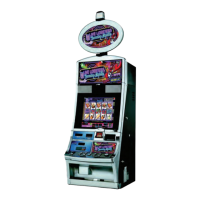
Several safety features are included in the Bluebird Upright cabinet.
Liquid diversion parts handle less than one liter of liquid during game setup.
Review electrical safety requirements for game operation.
Avoid electrical shocks by using proper grounding at all times.
Replace damaged power supply cords by the manufacturer or qualified person.
Instructions for preparing the game for installation.
Steps to mount the game using the plastic Bluebird Drill Fixture.
Steps to replace the CPU Enclosure Shipping Lock for transport.
Steps to connect the BBU to an approved power source.
Jumpers on the Bulkhead Board determine game communication interface.
Jumpers control the Bill Acceptor interface option used by the game.
Jumpers control the progressive system and interface used by the game.
Steps to secure and connect the Top Box to a BBU.
Steps to install the Top Box onto the BBU.
Measures to prevent electrical shock and electrostatic discharge when servicing.
Procedures to remove the Bill Acceptor and Cashbox from the BBU.
Steps to unlock, open, and slide out the Bill Acceptor.
Steps to unlock, open, and slide out the Cashbox.
Procedures to mount and connect the SPN Distribution Board.
Steps to mount the SPN Board to the SPN Bracket.
Steps to connect the SPN Distribution Board.
Basic troubleshooting steps for common game conditions.
Diagnostic tools to test game components and verify functionality.
Tests for Bill Validator, Coin Acceptor, Hopper, and Printer.
Steps to initiate and perform a Bill Acceptor Test.
Steps to access and perform the Coin Acceptor Test.
Steps to test the Hopper by performing 1-coin or 10-coin tests.
Steps to test the Printer by printing a void ticket.
Definition and possible solutions for tilts displayed by a CPU-NXT game.
 General
| Brand | WMS |
|---|---|
| Model | Bluebird Series |
| Category | Arcade Game Machines |
| Language | English |

 To Next Page