EasyManua.ls Logo

Wöhrle CONVERT II - User Manual

Wöhrle CONVERT II
51 pages
Print Icon
To Next Page IconTo Next Page
Loading...
Wöhrle Stromversorgungssysteme GmbH Subject to change
www.woehrle-svs.de REV 03
15.10.2021
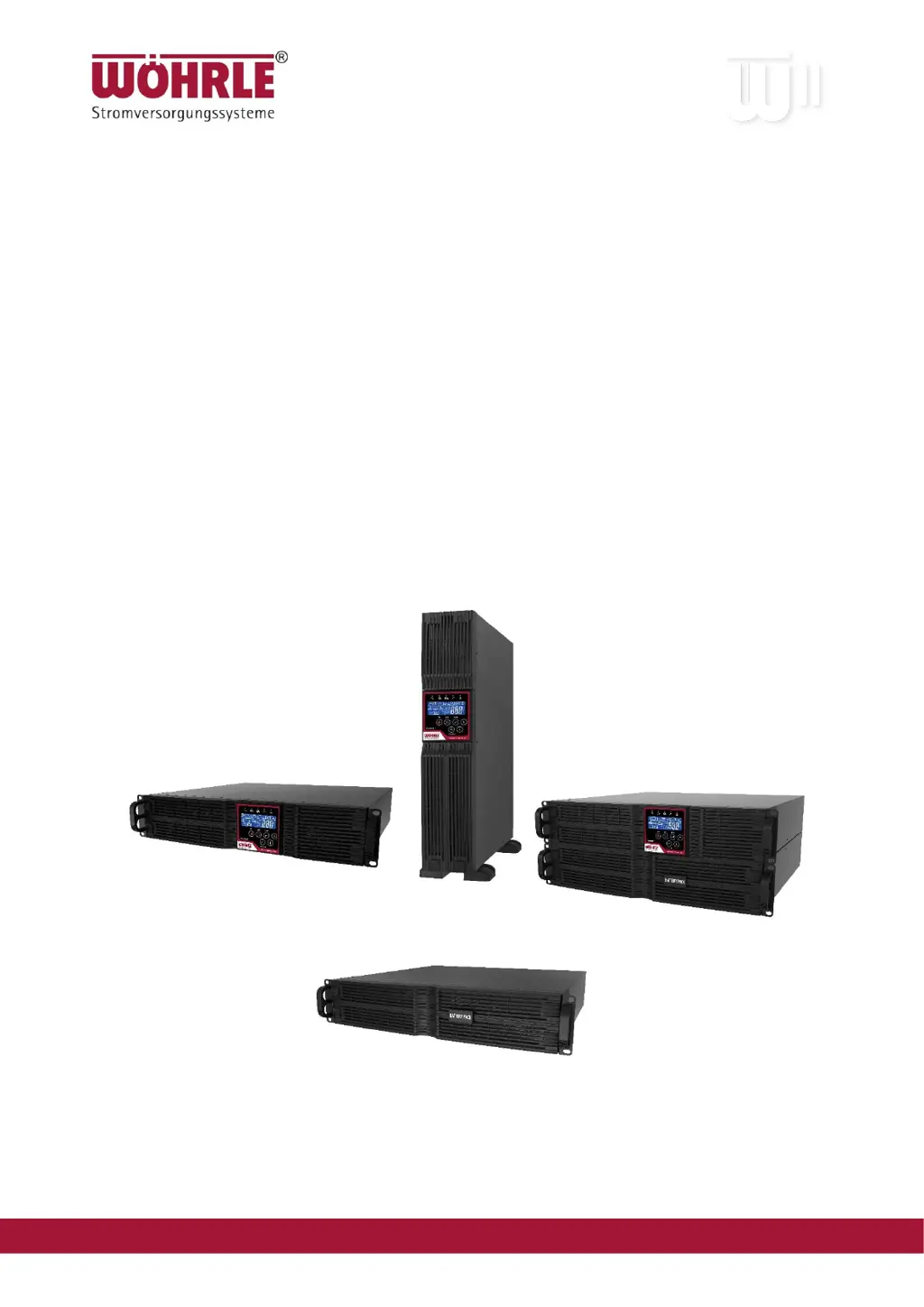
CONVERT II
1, 2 and 3 kVA UPS
User Manual

Questions and Answers

  • M
    Michelle HallAug 7, 2025
    How to fix a Wöhrle UPS Fault LED?
    • W
      Wanda DickersonAug 7, 2025
      If the Fault LED is on, several issues could be the cause. First, if the error codes Er05 or Er39 are displayed, check the battery connection and voltage. Recharge the batteries for 8 hours if needed and simulate a power outage to test the backup. For an overload, disconnect non-critical devices. Inspect cables for short circuits due to broken insulation. If the error code is Er11, remove obstructions from the ventilation and check the cooling fans. If the error code is Er14, verify that the fans are working and contact your local dealer for replacement. Check if the “L” and “N” phases of the utility AC source have been wrongly wired or if the Ground-Neutral voltage exceeds the limits. If you encounter other error codes, it is best to consult your local dealer.
  • J
    jasonmartinAug 14, 2025
    What to do if my Wöhrle CONVERT II is unable to provide backup power?
    • D
      David BergAug 14, 2025
      If your UPS isn't providing backup power, start by ensuring the battery connectors are fully engaged. Allow the batteries to recharge if they seem weak. If the problem continues after recharging, consider replacing the batteries.
  • T
    Tina RiveraAug 22, 2025
    What to do if Wöhrle CONVERT II switches between battery and utility mode?
    • P
      Paul WilliamsAug 22, 2025
      If your UPS switches between battery and utility modes, avoid using a power strip. Try replacing the wall receptacle or cord plug.
  • R
    Robert RoblesAug 30, 2025
    What to do if my Wöhrle CONVERT II makes a strange noise or smell?
    • R
      Robert LopezAug 30, 2025
      If you notice a strange noise or smell coming from the UPS, immediately shut down the entire system. Disconnect the power from the UPS and call for service.

Summary

A Legal Provisions

Trademark

Legal notice regarding trademarks used in the document.

B Changes Revision Table

1 Safety Instructions and Storage; Battery Care

1.1 Safety Instructions

Essential safety guidelines for UPS and battery handling and installation.

1.2 Storage; Battery Care

2 Product Introduction

2.1 General Characteristics

Overview of the UPS's core features and technical capabilities.

2.2 Special Features

3 UPS Functional Descriptions

3.1 Front Panel Display

Detailed explanation of the UPS front panel controls, indicators, and LCD display.

3.2 Rear Panel

3.3 Communication Port Explanation

3.3.1 True RS-232

Configuration and pin assignments for the RS-232 communication interface.

3.3.2 EPO

Explanation of the Emergency Power Off (EPO) function and its pin assignments.

4 Installation and Operation

4.1 Unpacking

Instructions for safely unpacking the UPS and checking package contents.

4.2 Selecting Installation Position

4.3 Operation

4.3.1 LCD Panel Operations

Guides on operating the UPS via its LCD panel, including start-up, modes, measurements, and settings.

5 UPS System Block Diagram

6 Maintenance Guide

6.1 Troubleshooting

Common UPS issues, fault codes, and step-by-step solutions for problem resolution.

6.2 Error Codes and Their Meanings

A comprehensive list of error codes and their corresponding explanations for effective diagnosis.

7 Communication Software

7.1 Hardware Setup

Instructions for physically connecting the UPS to a computer for communication and monitoring.

7.2 Software Installation

Guidance on installing the essential UPS management software on a computer system.

8 Optional Communication Cards

8.1 R2 E- (second RS-232) card

Details on the R2E communication card, including its connection, settings, and pin assignments.

8.2 DCE (Dry Contact) card

8.2.1 Pin assignments of 10-Pin terminal:

Description of pin configurations for the DCE (Dry Contact) card's terminal connector.

8.3 SNMP Cards

8.3.1 SNMP-Card

Information on SNMP cards for network monitoring and management capabilities of the UPS.

8.3.2 USB

Details on USB communication protocol and pin assignments for connecting the UPS.

9 Specifications CONVERT II (Rack; Tower)

10 Battery Bank Installation

10.1 Important Safety Instructions

Critical safety precautions for the proper installation and handling of UPS battery banks.

10.2 Introduction to the Front and Rear Panel

10.2.1 Front and Rear Panel Descriptions

Identification of front and rear panel components for the specific battery bank units.

10.3 Installation and Operation

10.3.1 Unpacking

Instructions for safely unpacking the battery bank and verifying package contents.

10.3.2 Selecting Installation Position

10.3.3 Installation Instructions

10.3.3.1 Tower Installation

Step-by-step instructions for installing the battery bank unit in a vertical (tower) configuration.

10.3.3.2 Rack Mount Installation

10.3.3.3 Connect DC Cable

10.3.6 Specification

10.3.7 Recycling the Used Battery

Wöhrle CONVERT II Specifications

General IconGeneral
BrandWöhrle
ModelCONVERT II
CategoryUPS
LanguageEnglish