44 45
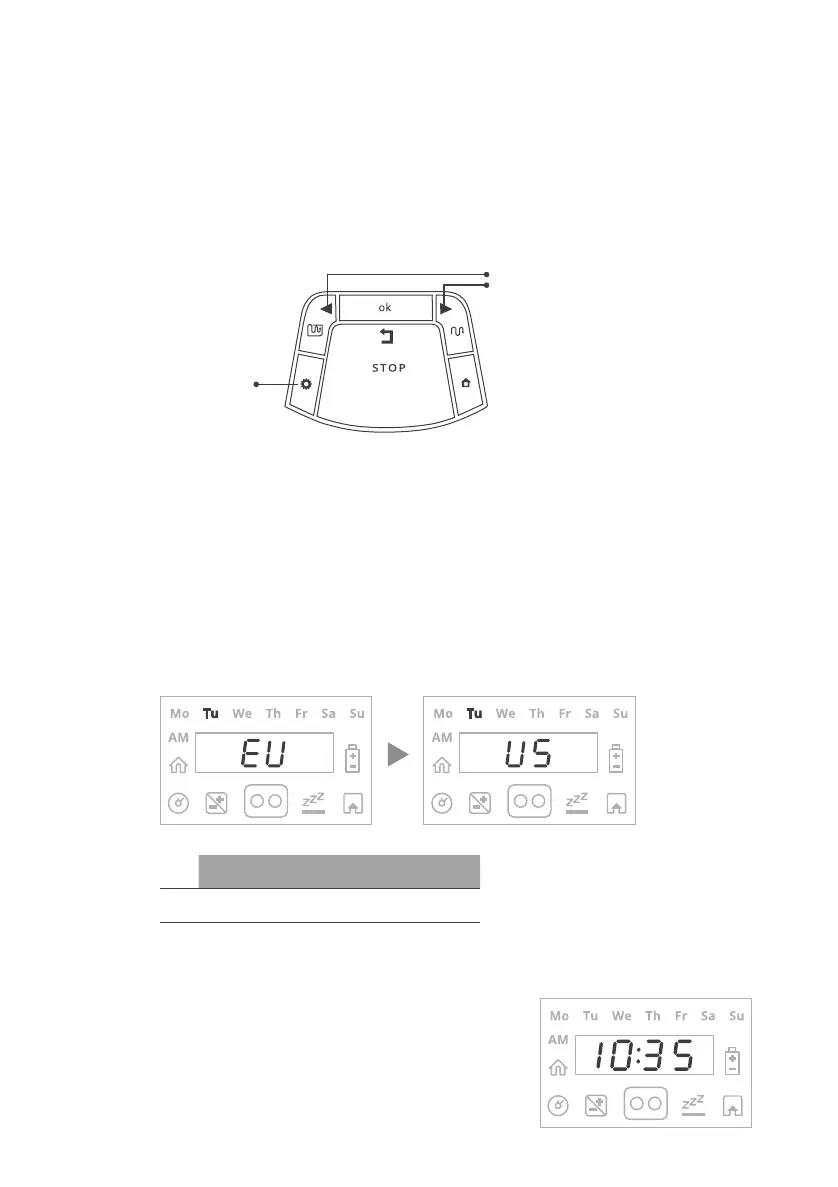
Set Day and Time:
• Scroll to set the Day and
press OK to confirm
• Scroll to set the Time and
press OK to confirm
Using the operating panel:
• Press the ‘Right’ or ‘Left’ arrows until your desired
option is displayed.
• Press OK to select the value shown on the display.
• Press ‘Back’ (STOP) to go back or to cancel.
Choose Measurement Units and Formats:
Area/Distance Temp Clock
EU Meter Celsius 24 Hours
US Foot Fahrenheit
12 Hours
(AM/PM)
Right/Left arrows
Settings button










 To Next Page