Troubleshooting
Integrated Modules
Integrated Modules
4-7
#826498 - Revision B - December, 2016
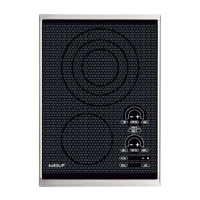
g. Showroom Mode - SM15TF/S, FM15TF/S, GM15TF/S
Touch “+” pad during the Error Code Indicator. 1
Six “.” displayed on rear control zone.•
To engage showroom mode.2
Touch the front control zone HI pad to engage showroom mode.•
SH is displayed in the 2-digit display when in showroom mode.•
To disengage showroom mode.3
Touch the front control zone LO pad. •
”-” pad returns to Error Code indicator and “+” pad advances to Software Version indicator.4
If an error is currently present when the log is cleared, it immediately regenerates an error code. •
“-” pad engages the Element Temperature/Coil Temperature test.•
“+” pad engages Showroom Mode menu.•
h. Software Version Indicator - CE152TF/S, CI152TF/S, and TM15TF/S
Touch “+” pad during Showroom Mode. 1
CE152TF/S and CI152TF/S - eight “.” displayed on rear control zone.•
TM15TF/S - eight “.” displayed on front control zone.•
2-digit display cycles to show the software version of the control.2
“-” pad engages the Showroom Mode menu.3
h. Software Version Indicator - SM15TF/S, FM15TF/S, and GM15TF/S
Touch “+” pad during Showroom Mode. 1
Seven “.” displayed on rear control zone.•
2-digit display cycles to show the software version of the control.2
“-” pad engages the Showroom Mode menu and “.” pad advances to LED test.3



 To Next Page