12 | Wolf Customer Care 800.222.7820
Water Filter
The water filter contains ion exchange resins and active
carbons, which reduce limescale and absorb chlorine and
other contaminants. Replace the filter every two months.
To install the water filter:
1 Remove the new filter from the package.
2 Touch .
3 Touch or until Water Filter appears on the touch-
screen.
4 Touch Water Filter.
5 Turn the dial on the filter until the following two months
numbers appear. "Turn the dial indicator until the next 2
months are displayed" appears on the touchscreen.
6 Touch .
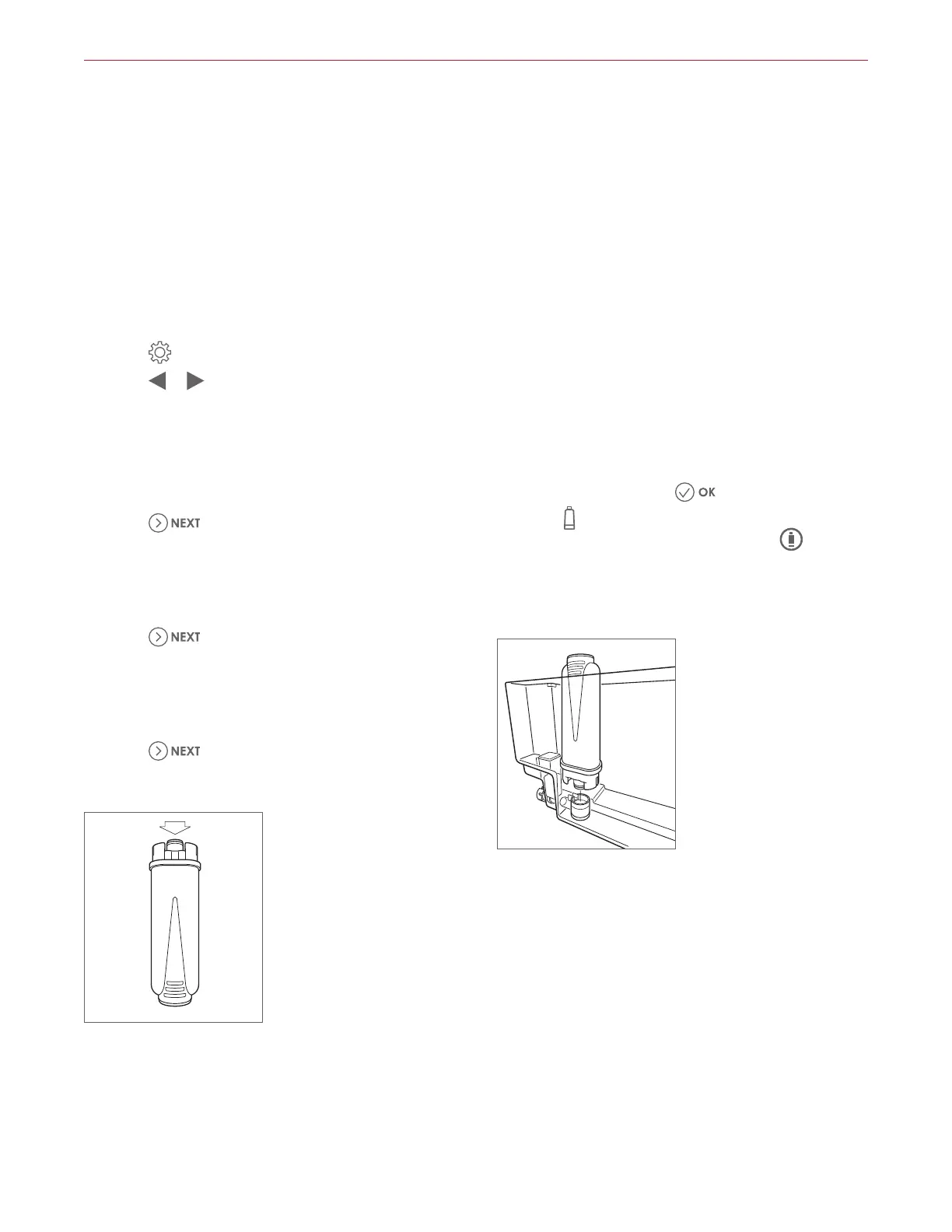
7 Turn the filter upside down and place it under a running
faucet for one minute. "Run water into filter hole until it
comes out from openings" appears on the touchscreen.
Refer to the illustration below.
8 Touch .
9 Insert the filter into the (full) water tank for 10 seconds
to allow bubbles to escape. "Immerse filter in the water
tank letting air bubbles escape" appears on the touch-
screen.
10 Touch .
1 Align the filter with the housing at the bottom of the
tank. "Insert filter into its housing and push it down
to bottom" appears on the touchscreen. Refer to the
illustration below.
2 Press to secure the filter to the housing. "Insert water
tank" appears on the touchscreen.
3 Close the tank lid, then install the water tank on the
machine. "Place 0.5 L container under outlets, press
OK to fill filter" appears on the touchscreen.
4 "Insert water spout until product chimes" appears on
the touchscreen.
5 Insert the water spout, and place a container under the
water spout, then touch
.
6 NOTE:
appears on the touchscreen when the water
filter replacement reminder is turned on.
appears
on the touchscreen when the water filter must be
replaced.
Coffee System Operation
Flush water filter
Water filter installation
11
12
13
14
15



 To Next Page