EasyManua.ls Logo

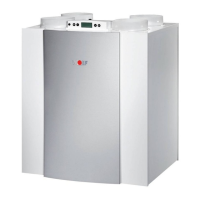
Wolf CWL-300 Exxellent - User Manual

Wolf CWL-300 Exxellent
46 pages
Print Icon
To Next Page IconTo Next Page
Loading...
$UW1U B 0RGL¿FDWLRQVUHVHUYHG
HEAT-RECOVERY-UNIT
Installation Instructions
:ROI*PEH3RVWIDFK0DLQEXUJTHO-)D[IQWHUQHWZZZZROI-KHL]WHFKQLNGH
:O/).OLPD-XQGHHL]WHFKQLN*PEHEGXDUGHDDV6WU/LQ]THO-IQWHUQHWZZZZROI-KHL]WHFKQLNDW
C:/-E[FHOOHQW
GB
Question and Answer IconNeed help?

Do you have a question about the Wolf CWL-300 Exxellent and is the answer not in the manual?

Summary

Standards and regulations

Standards

Lists relevant standards and regulations for ventilation systems.

Explanation markers

General information

Explains the applicability and personnel requirements for the service instructions.

Reference symbols

Defines the meaning of symbols used throughout the instruction manual for safety and notes.

Safety instructions

Details safety warnings, electrical hazards, and the need for qualified personnel.

Intended use

Describes the purpose of the CWL CWL Excellent ventilation unit as a central ventilation system.

Determining the proper use

Specifies the correct applications and limitations for the ventilation unit.

Installation site

Outlines requirements for the location where the appliance should be installed.

Operating instructions

Provides guidance on how to operate the appliance and any necessary precautions.

Maintenance

Covers essential maintenance tasks and procedures for the unit.

Disposal

Explains the environmentally responsible methods for disposing of the appliance.

1. Delivery

1.1 Scope of delivery

Lists all components included with the heat recovery unit upon delivery.

2. Application

3. Version

3.1 Technical information CWL-300 Excellent

Provides detailed technical specifications for the CWL-300 Excellent model.

3.2 Fan graph CWL-300 Excellent

Presents fan performance data for the CWL-300 Excellent in a graphical format.

3. Version

3.3 Technical information CWL-400 Excellent

Details the technical specifications for the CWL-400 Excellent model.

3.4 Fan graph CWL-400 Excellent

Shows fan performance characteristics for the CWL-400 Excellent model graphically.

3. Version

3.5 Connections and dimensions CWL-300;400 Excellent

Illustrates connection points and dimensions for the right-handed unit.

3.5.1 CWL-300;400 Excellent, right-handed version

Illustrates connection points and dimensions for the right-handed unit.

3. Version

3.5.2 CWL-300;400 Excellent, left-handed version

Shows connection details and dimensions for the left-handed unit.

3. Version

3.6 Exploded view appliance

Provides a detailed breakdown of the appliance components with numbering.

4. Operation

4.1 Description

Gives a general overview of the appliance's automatic operation and functionality.

4.2 Bypass conditions

Explains the conditions under which the bypass valve opens and closes.

4.3 Frost protection

Describes the intelligent frost protection system and its operation.

4.4 Version

Mentions connection options for different appliance versions.

5. Installation

5.1 Installation general

Outlines general guidelines and requirements for appliance installation.

5.2 Placing the appliance

Details the correct placement and mounting procedures for the unit.

5.3 Connecting the condensate discharge

Explains how to connect the condensate discharge line correctly.

5.4 Connecting ducts

Provides instructions for connecting the air supply and extract ducts.

5. Installation

5.5 Electric connections

Guides on connecting the appliance to the main power supply.

5.5.1 Connecting the power plug

Guides on connecting the appliance to the main power supply.

5.5.2 Connecting the multiple switch

Explains how to connect a multiple switch for control purposes.

5.5.3 Connecting eBus connector

Details the process for connecting the eBus connector for system integration.

6. Display

6.1 General explanation control panel

Describes the LCD display and control keys on the appliance's panel.

6.2 Operating mode

Explains how to interpret the display during normal operation.

6.3 Settings menu

Guides the user through accessing and modifying appliance settings.

6.4 Readout menu

Explains how to view current sensor values and operating data.

6.5 Service menu

Details how to access and interpret service and fault messages.

6. Display

6.2.1 Status system fan

Explains the fan status indicators shown on the display.

6.2.2 Display air flow rate

Describes how the air flow rate is shown on the appliance display.

6. Display

6.2.3 Message text for operating mode

Lists and explains various message texts that can appear on the display.

6. Display

6.3 Settings menu

Provides step-by-step instructions for modifying settings via the menu.

6. Display

6.4 Readout menu

Details how to navigate and read sensor values from the readout menu.

6. Display

6.5 Service menu

Explains how to access and interpret fault messages in the service menu.

7. Putting into operation

7.1 Switching the appliance on and off

Describes the procedures for turning the appliance on and off using software or power plug.

7. Putting into operation

7.2 Setting the air flow rate

Guides on setting the desired air flow rates for different operation modes.

7.3 Other settings installer

Refers to other configurable settings available for installers.

7.4 Factory setting

Explains how to reset all settings back to their original factory configuration.

8. Fault

8.1 Trouble shooting

Provides guidance on identifying and resolving common faults indicated by the appliance.

8.2 Display codes

Explains the meaning of different fault codes and symbols shown on the display.

9. Maintenance

9.1 Filter cleaning

Details the steps for cleaning or replacing the appliance filters.

9. Maintenance

9.2 Maintenance

Covers installer-specific maintenance tasks like heat exchanger and fan cleaning.

10. Elektric diagrams

10.1 Basic diagram

Presents a general overview of the electrical connections and components.

10. Elektric diagrams

10.2 Wiring diagram

Shows the detailed wiring connections for the appliance's electrical system.

11. Elektric connections accessoires

11.1 Connectors

Describes various connectors (X1, X2, X14, X15) and their functions.

11. Elektric connections accessoires

11.2 Connection examples multiple switch

Illustrates different ways to connect multiple switches and remote controls.

11. Elektric connections accessoires

11.3 Couple CWL-300;400 Excellent through eBus contact; all appliances equal air flow rate

Explains how to connect multiple units using the eBus for synchronized operation.

11. Elektric connections accessoires

11.4 Wiring diagram postheater connection or extra preheater

Shows wiring for connecting a postheater or extra preheater.

11. Elektric connections accessoires

11.5 Connection example geo heat exchanger

Details how to connect a geo heat exchanger to the system.

11. Elektric connections accessoires

11.6 Connecting external switch contact

Guides on connecting external switch contacts for additional control.

11. Elektric connections accessoires

11.7 Connection to 0-10 V input

Explains how to connect devices using a 0-10 V signal input.

11. Elektric connections accessoires

11.8 Connection RH (huminity) - sensor

Describes how to connect a humidity sensor to the unit.

12. Service

12.1 Exploded view

Provides a visual exploded view of the appliance's components.

13. Setting values

DECLARATION OF CONFORMITY (according to ISO;IEC 17050-1)

Summary

Standards and regulations

Standards

Lists relevant standards and regulations for ventilation systems.

Explanation markers

General information

Explains the applicability and personnel requirements for the service instructions.

Reference symbols

Defines the meaning of symbols used throughout the instruction manual for safety and notes.

Safety instructions

Details safety warnings, electrical hazards, and the need for qualified personnel.

Intended use

Describes the purpose of the CWL CWL Excellent ventilation unit as a central ventilation system.

Determining the proper use

Specifies the correct applications and limitations for the ventilation unit.

Installation site

Outlines requirements for the location where the appliance should be installed.

Operating instructions

Provides guidance on how to operate the appliance and any necessary precautions.

Maintenance

Covers essential maintenance tasks and procedures for the unit.

Disposal

Explains the environmentally responsible methods for disposing of the appliance.

1. Delivery

1.1 Scope of delivery

Lists all components included with the heat recovery unit upon delivery.

2. Application

3. Version

3.1 Technical information CWL-300 Excellent

Provides detailed technical specifications for the CWL-300 Excellent model.

3.2 Fan graph CWL-300 Excellent

Presents fan performance data for the CWL-300 Excellent in a graphical format.

3. Version

3.3 Technical information CWL-400 Excellent

Details the technical specifications for the CWL-400 Excellent model.

3.4 Fan graph CWL-400 Excellent

Shows fan performance characteristics for the CWL-400 Excellent model graphically.

3. Version

3.5 Connections and dimensions CWL-300;400 Excellent

Illustrates connection points and dimensions for the right-handed unit.

3.5.1 CWL-300;400 Excellent, right-handed version

Illustrates connection points and dimensions for the right-handed unit.

3. Version

3.5.2 CWL-300;400 Excellent, left-handed version

Shows connection details and dimensions for the left-handed unit.

3. Version

3.6 Exploded view appliance

Provides a detailed breakdown of the appliance components with numbering.

4. Operation

4.1 Description

Gives a general overview of the appliance's automatic operation and functionality.

4.2 Bypass conditions

Explains the conditions under which the bypass valve opens and closes.

4.3 Frost protection

Describes the intelligent frost protection system and its operation.

4.4 Version

Mentions connection options for different appliance versions.

5. Installation

5.1 Installation general

Outlines general guidelines and requirements for appliance installation.

5.2 Placing the appliance

Details the correct placement and mounting procedures for the unit.

5.3 Connecting the condensate discharge

Explains how to connect the condensate discharge line correctly.

5.4 Connecting ducts

Provides instructions for connecting the air supply and extract ducts.

5. Installation

5.5 Electric connections

Guides on connecting the appliance to the main power supply.

5.5.1 Connecting the power plug

Guides on connecting the appliance to the main power supply.

5.5.2 Connecting the multiple switch

Explains how to connect a multiple switch for control purposes.

5.5.3 Connecting eBus connector

Details the process for connecting the eBus connector for system integration.

6. Display

6.1 General explanation control panel

Describes the LCD display and control keys on the appliance's panel.

6.2 Operating mode

Explains how to interpret the display during normal operation.

6.3 Settings menu

Guides the user through accessing and modifying appliance settings.

6.4 Readout menu

Explains how to view current sensor values and operating data.

6.5 Service menu

Details how to access and interpret service and fault messages.

6. Display

6.2.1 Status system fan

Explains the fan status indicators shown on the display.

6.2.2 Display air flow rate

Describes how the air flow rate is shown on the appliance display.

6. Display

6.2.3 Message text for operating mode

Lists and explains various message texts that can appear on the display.

6. Display

6.3 Settings menu

Provides step-by-step instructions for modifying settings via the menu.

6. Display

6.4 Readout menu

Details how to navigate and read sensor values from the readout menu.

6. Display

6.5 Service menu

Explains how to access and interpret fault messages in the service menu.

7. Putting into operation

7.1 Switching the appliance on and off

Describes the procedures for turning the appliance on and off using software or power plug.

7. Putting into operation

7.2 Setting the air flow rate

Guides on setting the desired air flow rates for different operation modes.

7.3 Other settings installer

Refers to other configurable settings available for installers.

7.4 Factory setting

Explains how to reset all settings back to their original factory configuration.

8. Fault

8.1 Trouble shooting

Provides guidance on identifying and resolving common faults indicated by the appliance.

8.2 Display codes

Explains the meaning of different fault codes and symbols shown on the display.

9. Maintenance

9.1 Filter cleaning

Details the steps for cleaning or replacing the appliance filters.

9. Maintenance

9.2 Maintenance

Covers installer-specific maintenance tasks like heat exchanger and fan cleaning.

10. Elektric diagrams

10.1 Basic diagram

Presents a general overview of the electrical connections and components.

10. Elektric diagrams

10.2 Wiring diagram

Shows the detailed wiring connections for the appliance's electrical system.

11. Elektric connections accessoires

11.1 Connectors

Describes various connectors (X1, X2, X14, X15) and their functions.

11. Elektric connections accessoires

11.2 Connection examples multiple switch

Illustrates different ways to connect multiple switches and remote controls.

11. Elektric connections accessoires

11.3 Couple CWL-300;400 Excellent through eBus contact; all appliances equal air flow rate

Explains how to connect multiple units using the eBus for synchronized operation.

11. Elektric connections accessoires

11.4 Wiring diagram postheater connection or extra preheater

Shows wiring for connecting a postheater or extra preheater.

11. Elektric connections accessoires

11.5 Connection example geo heat exchanger

Details how to connect a geo heat exchanger to the system.

11. Elektric connections accessoires

11.6 Connecting external switch contact

Guides on connecting external switch contacts for additional control.

11. Elektric connections accessoires

11.7 Connection to 0-10 V input

Explains how to connect devices using a 0-10 V signal input.

11. Elektric connections accessoires

11.8 Connection RH (huminity) - sensor

Describes how to connect a humidity sensor to the unit.

12. Service

12.1 Exploded view

Provides a visual exploded view of the appliance's components.

13. Setting values

DECLARATION OF CONFORMITY (according to ISO;IEC 17050-1)

Wolf CWL-300 Exxellent Specifications

General IconGeneral
Airflow300 m³/h
Power consumption30 W
MountingCeiling mounted
Power30 W
Frequency50 Hz
Voltage220-240 V

Related product manuals