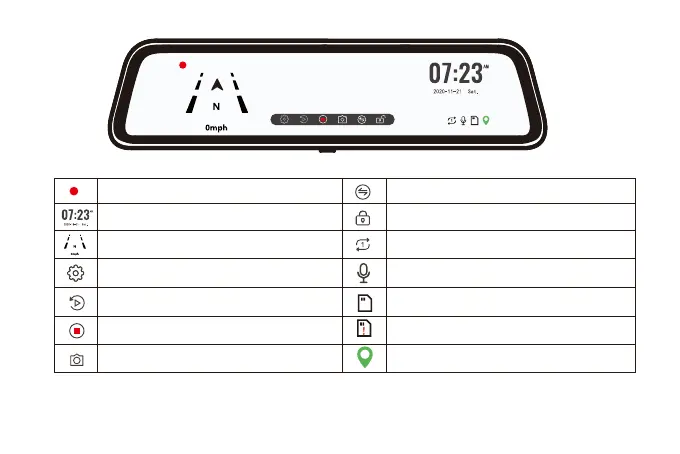
Recording status: During normal recording,it is red, turns
yellow while emergency recording
Click on it, the clock setting appears on the screen
GPS Status: Once gps antenna connected, the GPS icon
on the home screen will show
Menu Setting:Touch and enter to set the screen in your
favor (Please pause recording first)
Video/Photo Playback: Playback the video & Photo
Start/Stop Recording: Record and save every precious
moment
Photograph: Take photos one moment
Rear view/Front view switchable: Switch between front
view & rear view one moment
Emergency Lock: Lock videos as event files so it won't be
overwritten by loop recording
The recording duration of each video, you can set 1min,
2min, 3min in the settings
Sound Record is on
The Micro SD card is inserted
The Micro SD card is not inserted
This means the GPS is effective.
11



 To Next Page