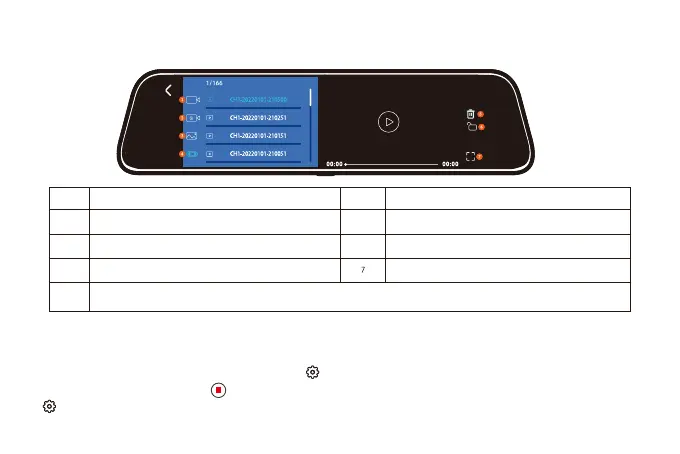
Overview
NO.
Overview
NO.
1
3
2
4
5
6
Normal Video: Select it to view recorded videos
Locked Video: Select it to check locked videos
Photos: Select it to check photos
Front/Rear Video Switch:Click it to switch to front/rear video
Delete
Lock the video
View videos on fullscreen
Video playback interface
Function interface
After powering ON the camera, press the button to enter the setup process.(If the camera is
recording video, press the button to stop recording before pressing the
button.)
28



 To Next Page