18
1 2
4 65
3
1 2
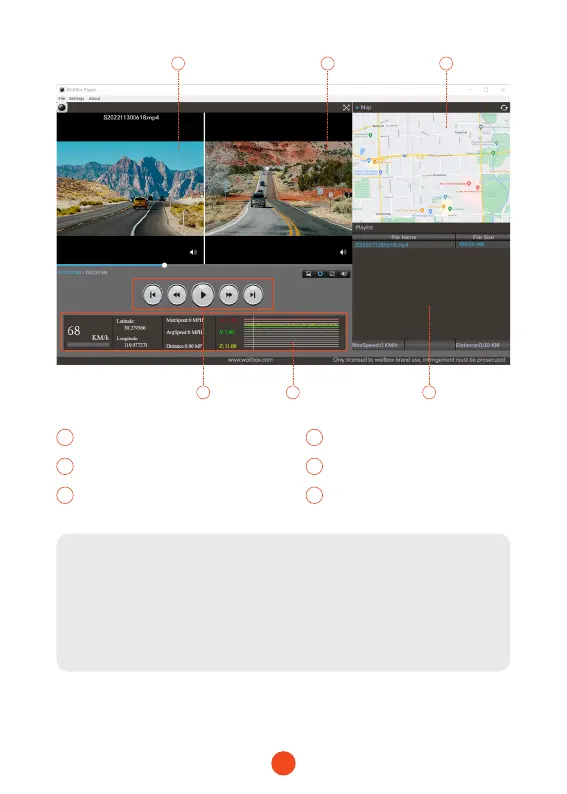
Video play window (Front) Video play window (Rear)
3 4
Map and track display Play control panel
5 6
Speed and driving state indication Play list
Note:
If you record the front and rear dash cam videos simultaneously
and add them to the playlist, you can play them side by side in
split-screen mode.
To play a video le, drag and drop it onto the video player.



 To Next Page