22
With GPS connected:
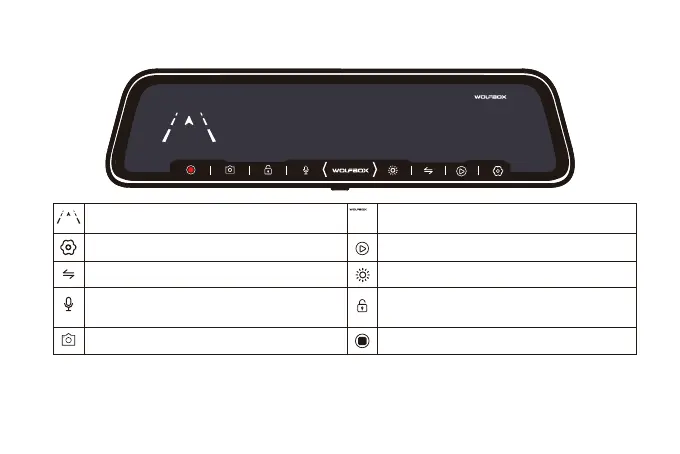
Speed & Driving Direction: Once GPS is
connected, the information will show
Settings: Touch to enter the menu setting
Switching front and rear camera view
Audio Record is on
Snapshot: Take a Snapshot
Date & Time
File Playback: Playback the video & Photo
Adjust the screen brightness
Recording Status: Yellow flashing means
Lock Recording
Start / Stop Recording
02:45
11/1 3
PM
Sun .
02:45
11/1 3
PM
Sun .
N
0 mph
N
0 mph



 To Next Page