10
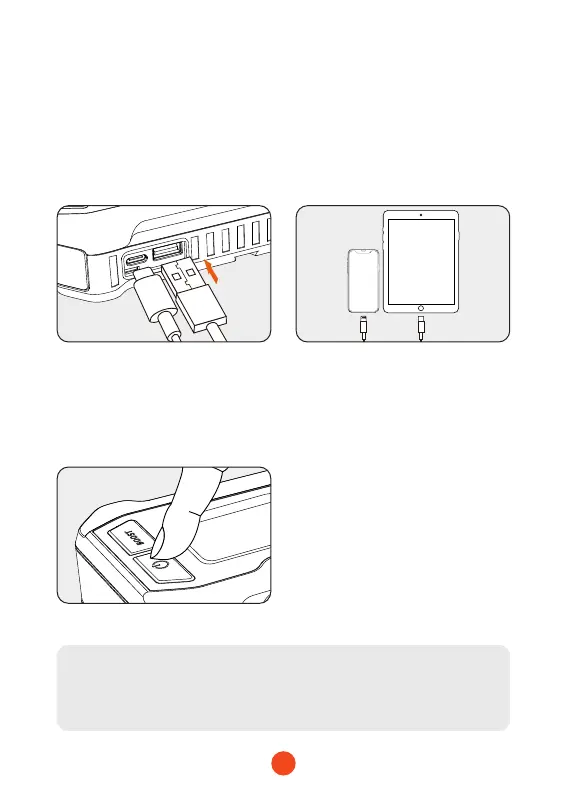
Feature 3: Charging Mobile Devices/
Tablets, etc
1. Connect the USB plug of
the adapter cable to the
main unit's USB-A/USB-C
output po.
3. Press and hold the power
button for 2 seconds to turn
on the device and initiate
charging for your mobile
device/tablet.
2. Connect the charging
adapter to your mobile
device/tablet or other
electronic products.
Tip:
Charging is only possible when the device is turned on.


 To Next Page