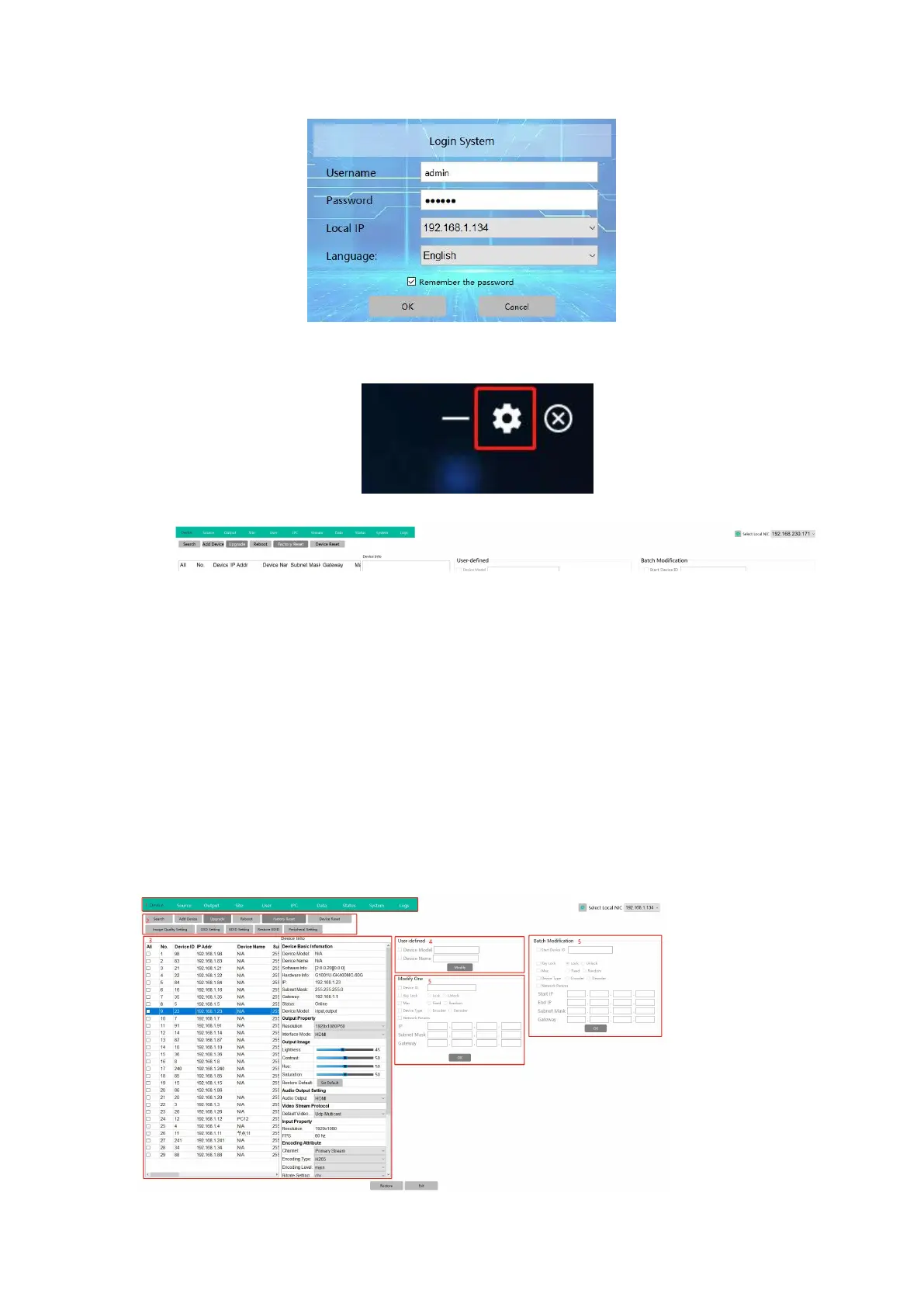
After login the software, need to click the Setting icon on the right top corner for the system
setting first:
Then it will be showing the setting page with different setting tabs:
Device: for finding all the devices, adding, upgrade, reboot, etc
Source: after setting the device IP/ID/working type as encoders, then add them as sources
Output: after setting the device IP/ID/working type as decoders, then add them as
outputs
Site: for creating the video wall, matrix etc
User: for adding different users with different level rights
IPC: for adding the IP cameras
Data: for uploading the data/configuration to different control devices
Status: for the devices’ working status checking/dispaly
System: for the preview mode settings, etc
Logs: for the system operation logs records
Device: for finding all the devices, adding, upgrade, reboot, etc


 To Next Page