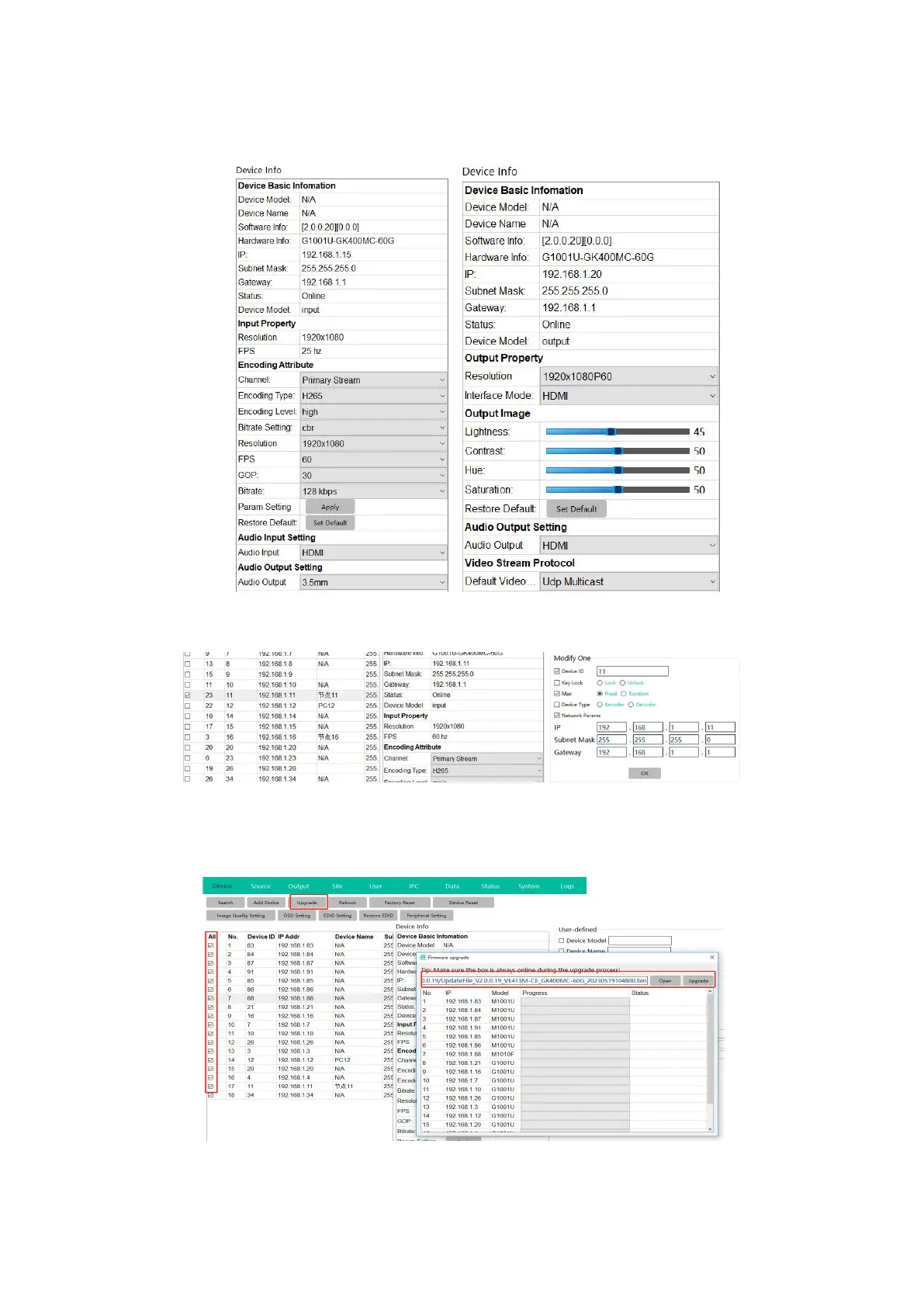
After selected a device, then users can do the setting for the devices accordingly, change the
name/ID/IP/work type(as encoder or decoder)/resolution/audio
* When set the device Type and Network IP address can’t not at the same time, as when
change device type and IP address both will auto restart the device.
Upgrade the devices, can select all devices to upgrade at once:
*Note the M1001U and G1001U models can’t use the same firmware and upgrade, need to
upgrade separately:
Factory reset:All the devices will be back to factory default sa ID and IP at192.168.5.50


 To Next Page