Operating for the first time
Connect and Control
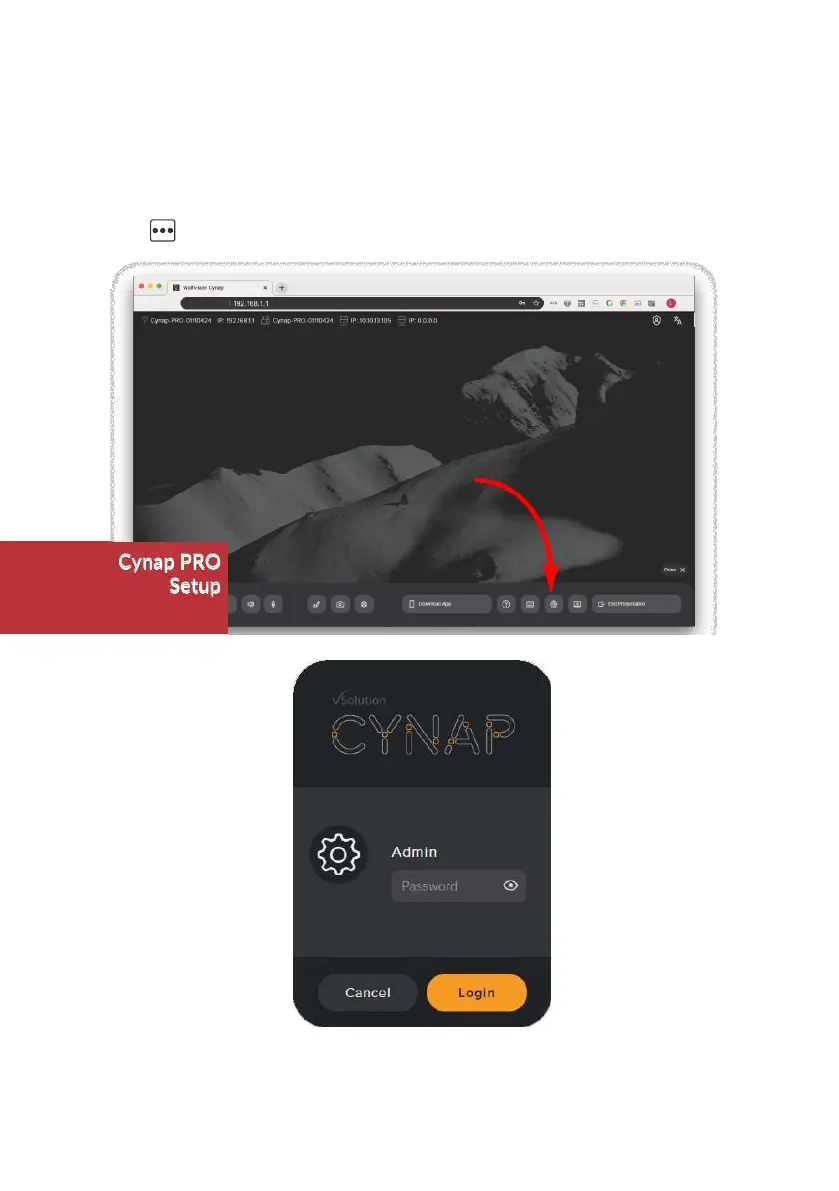
When the Cynap system is switched on, all settings can be configured in the password-
protected settings section of the graphical user interface (GUI). Access the GUI by using a web
browser on your connected PC or tablet (input the IP address), by using the optional remote
control, or by using a connected USB mouse and keyboard.
Push the button on the right-hand edge to open the Control center and click on the
cogwheel.
Initial default admin password:
Initial SSID of built-in Access Point:
Initial default password of built-in Access Point:
Check the integrated Help Guide for further details.
Password
model name + serial number of the unit
serial number of the unit (8 digits)
Cynap PRO
Setup


 To Next Page