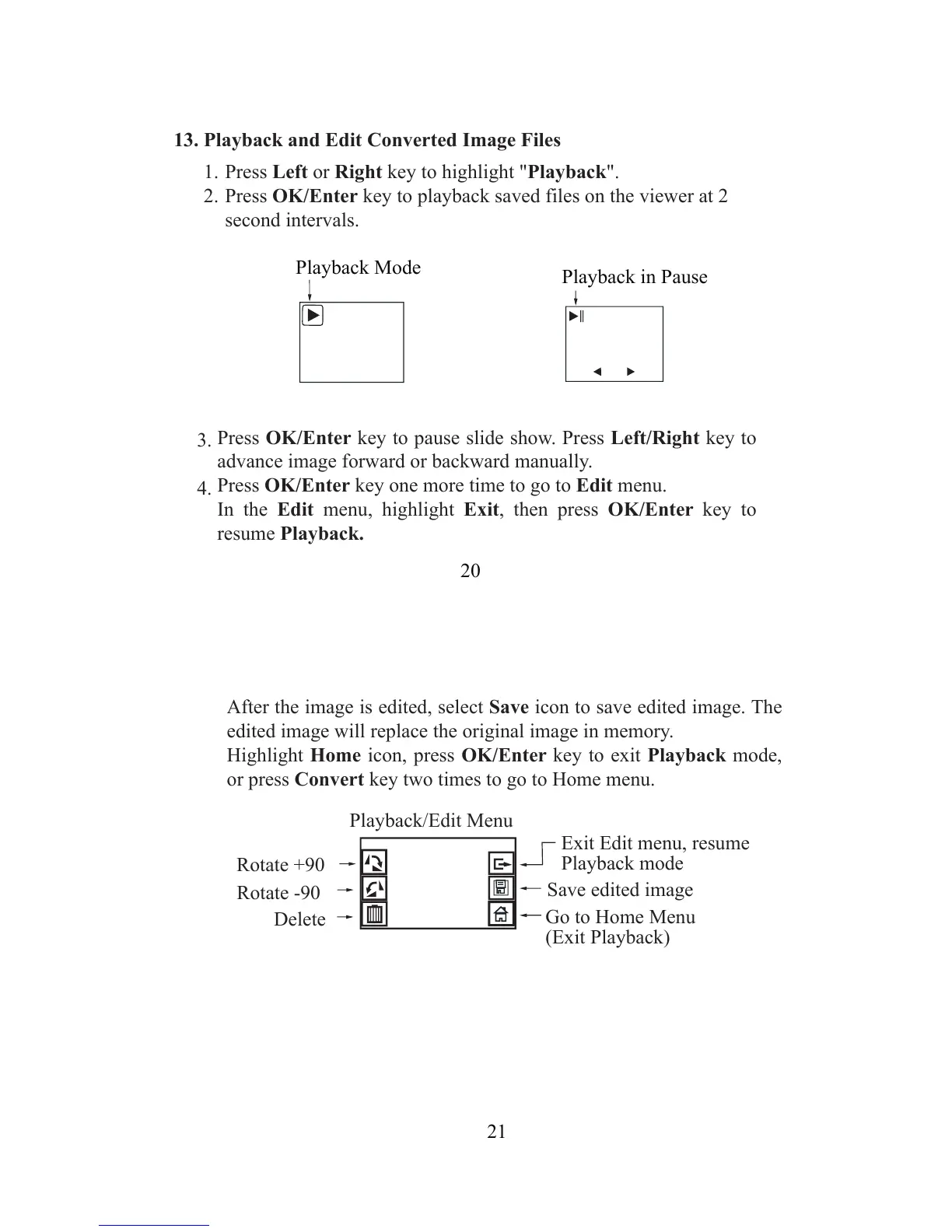
Press Left or Right key to highlight "Playback".
Press OK/Enter key to playback saved files on the viewer at 2
second intervals.
13. Playback and Edit Converted Image Files
Press OK/Enter key to pause slide show. Press Left/Right key to
advance image forward or backward manually.
Press OK/Enter key one more time to go to Edit menu.
In the Edit menu, highlight Exit, then press OK/Enter key to
resume Playback.
1.
2.
3.
4.
21
Rotate +90
Rotate -90
Exit Edit menu, resume
Playback mode
Delete
Save edited image
Go to Home Menu
(Exit Playback)
Playback/Edit Menu
After the image is edited, select Save icon to save edited image. The
edited image will replace the original image in memory.
Highlight Home icon, press OK/Enter key to exit Playback mode,
or press Convert key two times to go to Home menu.


 To Next Page