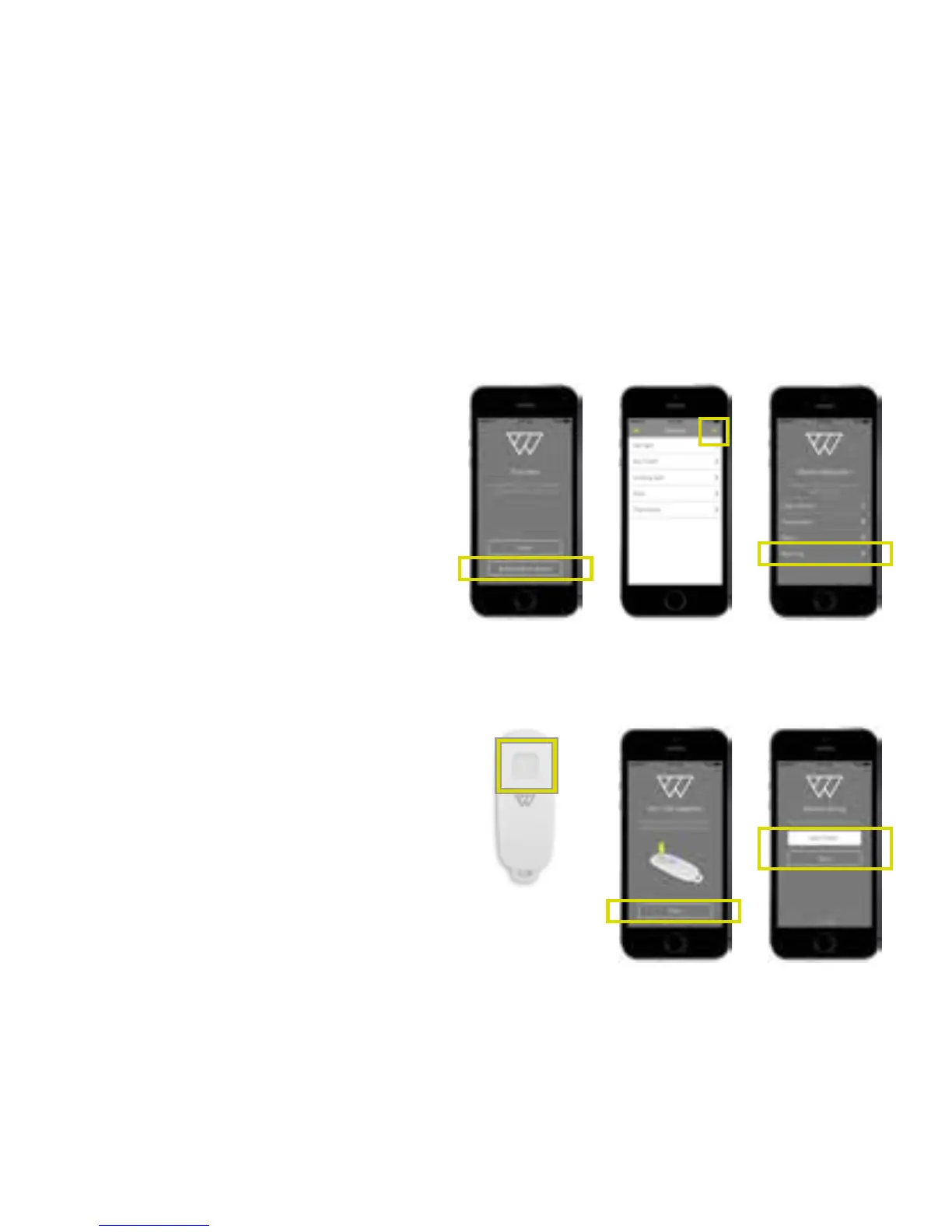
Pair the key fobs
1. Either click Add another
device in the Success screen
(A), or the + on the Devices
screen (B), then select Key Fob
from the Device Selection list
(C).
2. Make sure the battery is
inserted into the key fob, then
press the button (D). Press
Next on the app.
3. Type in name for the key fob
(F) and press Save.
4. Press Finish on the Success
screen to end the installation
or Add another device to
continue pairing the rest of
your Wondrwall devices.
A
D
B
E
C
F
29


 To Next Page