Staircase light switches
When installing light switches at the top and bottom of staircase, you
must link the upstairs and downstairs switches together so that both
light switches control the light that illuminates the stairs.
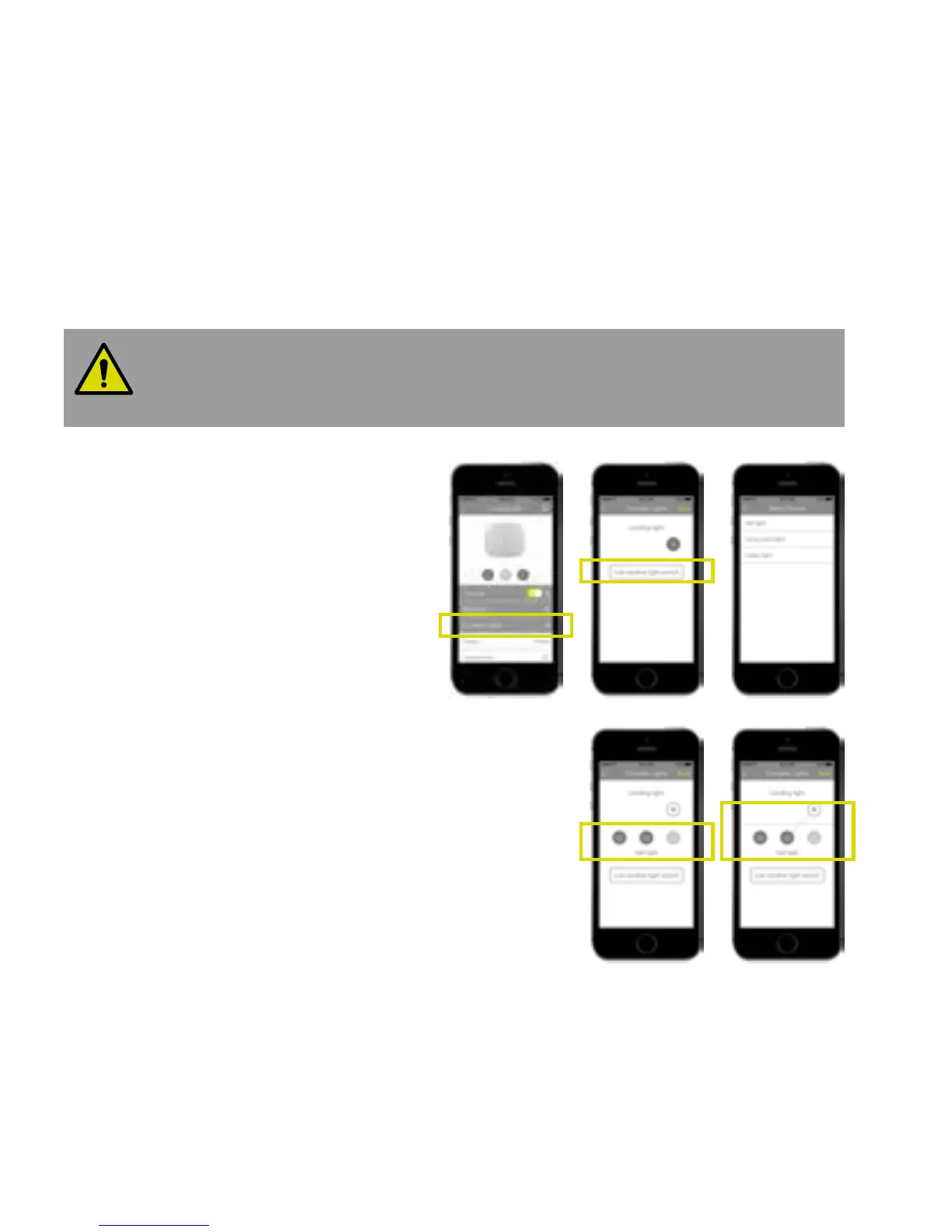
To link two lights:
1. Select Light switch 1 in the Devices
screen and press Complex Lights (A).
2. Press Link another light switch in
the Complex Lights page (B).
3. Select Light switch 2 from the list (C).
4. Press one or more on/o buttons on
the Light switch 2 (D). This links those
buttons on Light switch 2 to the light
connected to Light switch 1. The link is shown
by dotted line (E). Press Save to save the
arrangement.
Both light switches now control the same light.
5. Repeat this procedure to link any more light switches.
A B C
D E
28


 To Next Page
 Loading...