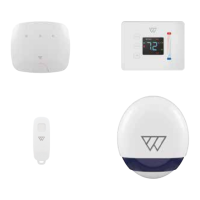
Security
To see the all security devices on the system, press the Security button on the Home
page.
To add more security devices, press
.
To set the security options for each device, press the device name on the security
page. Slide the switches to the right to set the option (on - dark grey) or to the left to
unset the option (o - light grey).
For light switches, press Security to show the options of silent panic, detect motion,
detect fire alarm, detect glass breakage. For key fobs, set the panic button on or o.
The security options for each device can be switched on individually, or slide the Alarm
All switch to the right to switch on all devices.
Key fob: panic button
To raise an alarm, simply press the button on the key fob. The siren will sound and
simultaneously send an alert to all your house members who are logged into the
system.
44


 To Next Page
 Loading...