This document is the installation manual for the WOODBRIDGE BID 01 Electronic Toilet Seat, providing comprehensive information on its function, technical specifications, usage, and maintenance.
Function Description
The WOODBRIDGE BID 01 is an electronic toilet seat designed to enhance personal hygiene and comfort. It offers a range of features including:
- Cleaning Device:
- Cleansing Modes: Rear cleaning, rear massage, and front cleaning for ladies.
- Spray Cleansing Location: 5 different level adjustments for precise cleaning.
- Water Pressure Protector: Stabilizes pressure and automatically discharges pressure.
- Anti-fouling Device: Features a speedy water discharge device, automatic nozzle cleaning, anti-syphon device, anti-backflow device, and a filter device to maintain hygiene.
- Safety Device: Includes a temperature controller, thermal fuse, ground protection, leakage protection device, and an air burning preventer.
- Drying Device:
- Warm Wind Speed: Over 4 M/S.
- Warm Wind Temperature: 6 different level adjustments for comfortable drying.
- Safety Device: Equipped with a temperature sensor, temperature controller, and thermal fuse.
- Heated Seat:
- Surface Temperature: 6 different level adjustments for personalized warmth.
- Open and Close Device: Features a quiet soft-closing mechanism for the seat and cover.
- Heated Burning Protection: The seat temperature automatically lowers to level 1 after 10 minutes of use to prevent overheating.
- Safety Device: Includes a seat sensor, temperature sensor, temperature controller, and thermal fuse.
- Intelligent Features:
- Night Light Assembly: Intelligent night light, often in the off state.
- Mute Setting: Buzzer can be turned off during the night for quiet operation.
- User ID Setting: Allows for personalized settings to avoid disturbance from remote controls by multi-users.
Important Technical Specifications
- Rating Pressure: 110-120V, 50/60Hz.
- Rating Power: 1050-1250W.
- Water Pressure Range: Minimum flowing pressure of 0.07MPa (20L/min) and maximum hydrostatic pressure of 0.8MPa.
- Electrical Wire Length: Approximately 1.8m.
- Container Capacity: 600ml.
- Heating Power (Main Unit): 1000W.
- Water Temperature: 6 different level adjustments.
- Water Volume: 5 different level adjustments.
- Heating Power (Drying Device): 250W.
- Heating Power (Heated Seat): 50W.
- Water Inlet Temperature: Must be between 3~35°C.
Usage Features
- Installation: The manual provides detailed instructions for mounting the base plate and connecting the water supply pipe, including options for side and bottom inlets. It emphasizes checking installation dimensions to match the user's toilet.
- Power and Water Supply Check: Instructions include inserting the power line leakage protection plug, pressing the reset switch, and checking for indicator lights. It also advises pressing the electric leakage test button monthly.
- Main Unit Buttons:
- Power Button: Long press to enter standby mode, quick press to restore functional mode. When someone is seated, pressing it stops cleaning or drying. When no one is seated, it switches between function mode and power save mode.
- Front Cleaning Button: When seated, initiates front cleaning. Repressing it or the power button finishes the function. After a cycle, it automatically finishes, or switches to drying if still seated.
- Rear Cleaning Button: When seated, initiates rear cleaning. Repressing it or the power button finishes the function. After a cycle, it automatically finishes, or switches to drying if still seated. When no one is seated, it cleans the nozzle and spray wand.
- Remote Control: The operating method for the remote control and LCD display is detailed in a separate instruction manual.
- Safety Precautions:
- Always follow basic safety precautions, especially when children are present.
- Do not use while bathing, or place where it can fall into water.
- Unplug immediately if it falls into water.
- Do not wash the main unit or electrical plug with water.
- Never disassemble, repair, or modify the product without professional assistance.
- Ensure proper grounding and connection to a properly grounded outlet.
- Avoid throwing burning items into the toilet.
- Keep the product away from water and avoid drenching it with urine or other liquids.
- Do not lay the product on its side or upside down during electrical circuit operation.
- Do not use other electric appliances in the same socket or use power extensions/unstable outlets.
- Always use the new water supply hose provided.
- Do not install or use in wet places like steam rooms.
- Use a waterproof electrical outlet.
- The electrical current must be AC 110V-120V, 50/60Hz, with a load current of at least 15A, and equipped with a ground fault circuit interrupter.
- Pull out the power plug during thunderstorms.
- Do not stand or lean on the ceramic toilet, product unit, seat, or cover.
- Avoid heavy pressing or pushing on the soft-closing seat cover.
- Do not use harsh chemicals for cleaning.
- Avoid direct sunlight exposure.
- Only use tap water or potable water.
- Do not connect water supply to the heater outlet.
- Drain the water tank in freezing temperatures to prevent damage.
- Allow the product to acclimatize for 2 hours when moving from a cold/wet environment to prevent short-circuits.
- Drain water and unplug if not used for more than three days.
- Shut off power and contact service for malfunctions.
Maintenance Features
- Main Unit Maintenance:
- Shut off power supply.
- Turn the seat upward, press the button on the right side, and pull out the seat.
- Wipe stains with a soft damp cloth.
- Re-install the seat.
- Do not pour water on the product during maintenance.
- Spray Nozzle Maintenance:
- Press "nozzle cleaning" or "rear cleaning" to extend the wand. Wipe clean with a soft damp cloth.
- Hold "nozzle cleaning" button without the wand extending for automatic self-cleaning spray.
- Press "nozzle cleaning," "stop," or "rear cleaning" again to stop cleaning.
- Do not apply force when pushing or pulling the wand.
- Inlet Filter Cleaning:
- Pull out the electrical plug, shut off the water supply valve, and remove the water supply hose.
- Remove and clean the filter with a brush.
- Re-install the filter and connect the water supply pipe.
- Tank Anti-freezing and Anti-bacterial Maintenance:
- If the room temperature is below zero, electricity is disconnected, or the user is away for a long time, the water inside the tank should be discharged.
- Open the tank cover, press the discharge button, and turn on the valve to discharge water.
- Slightly press the protruding part of the discharge button to turn off the discharging valve and cover.
- Ensure power is cut off before discharging water.
- Automatic Discharge: If the product is not used for 72 continual hours, the water in the tank automatically discharges for 90 seconds and is replaced by fresh water to prevent bacteria.
Troubleshooting Guide
The manual includes a troubleshooting guide for common issues such as:
- No flushing (buckled hose, fill valve off, water supply cut off).
- Poor flushing (buckled hose, fill valve not fully turned on).
- Water not hot (temperature setting, standby/power save mode).
- Seat temperature not hot (temperature setting, standby mode).
- No wind out (temperature setting, standby/power save mode).
- Spray wand not retracted or not stretching out (power off, impurities, not sitting in sensing area).
- Controller not displaying (reverse battery polarity).
For problems not solved by these methods, users are advised to shut off power and contact service providers. It also warns that frequent tripping of the leakage circuit breaker indicates electricity leakage and requires professional service.

 Need help?
 General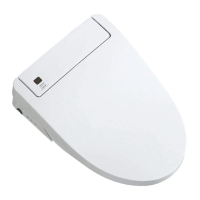

 To Next Page

