EasyManua.ls Logo

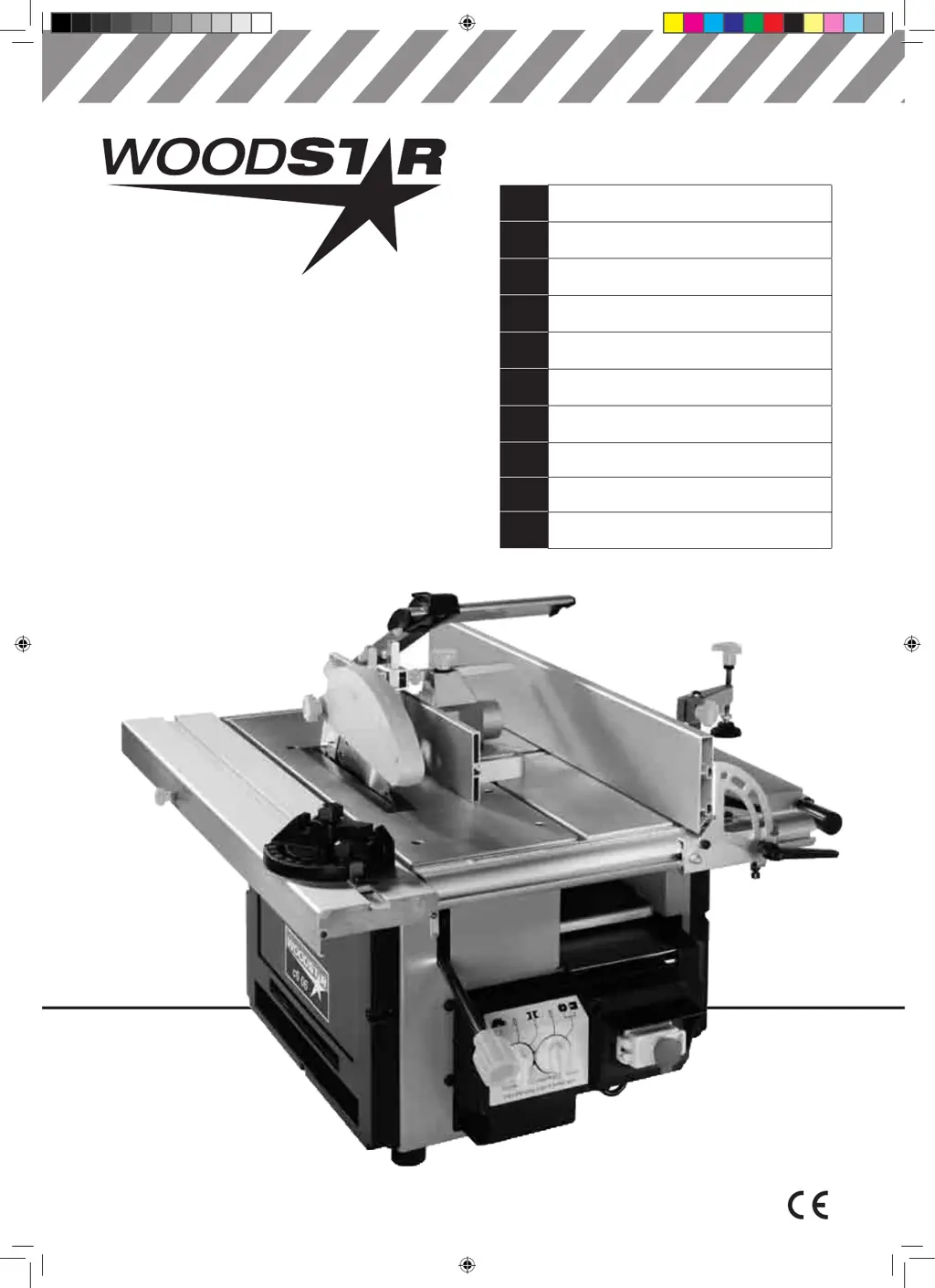
Woodstar c6 06 - User Manual

Woodstar c6 06
160 pages
Print Icon
To Next Page IconTo Next Page
Loading...
01-2012
Art.-Nr. 390 2403 001
D
Kombinierte Holzbearbeitungsmaschine
Original-Anleitung
GB
Combined Woodworking Machine
Translation from the original instruction manual
FR
Machine combinée de travail du bois
Traduction du manuel d’origine
NO
Lombinerte Trebearbeidingsmaskinen
Oversettelse fra original brukermanual
SE
Kombinerade Träbearbetningsmaskinen
Översättning av original-bruksanvisning
DK
Kombinerede træbearbejdningsmaskine
Oversættelse fra den originale brugervejledning
FIN
Yhdistetty puuntyöstökone
Käännös alkuperäisestä käyttöohjeesta
CZ

Překlad z originálního návodu
SK

Preklad originálu - Úvod
NL
Houtbewerkende combinatiemachine
Vertaling van originele handleiding
c6 06
Art.-Nr. 390 2403 000, 390 2403 901, 390 2403 911
BA c6 06.indd 1 10.01.12 11:53

Other manuals for Woodstar c6 06

Questions and Answers

  • D
    Douglas JohnsonAug 15, 2025
    How to troubleshoot Woodstar c6 06 Saw machine that does not work?
    • J
      John RileyAug 15, 2025
      If your Woodstar Saw machine isn't working, start by checking the plug and cable for any issues. If those look fine, make sure the electrical supply switch is turned on. Also, check the emergency switch to ensure it's released. If a circuit breaker keeps shutting off the power, try resetting it. If problems persist, it may be necessary to call an electrician.
  • R
    robert31Aug 19, 2025
    Why are cutting tracks visible on the work piece when planing with Woodstar c6 06?
    • P
      patrick15Aug 19, 2025
      If you notice cutting tracks on the long side of your workpiece when planing with the Woodstar Saw, it's likely that the planing blade is worn down. To resolve this, replace the blade or sharpen it.
  • S
    Sherry MullinsAug 21, 2025
    What to do if the automatic feed of Woodstar c6 06 Saw is interrupted in thick planing mode?
    • M
      Michael FoxAug 21, 2025
      If the automatic feed on your Woodstar Saw only functions with interruptions when using the thick planing mode, there might be resin on the work surface. Clean it off with gas or solvents after turning the machine off. Also, check the spring in the feed roller and adjust it if necessary. Finally, remove any wood chips between the bottom of the roller and the cover by raising the roller with the lever and using pressurized air to blow into the crack between the bottom of the roller and the cover.
  • Q
    qperryAug 25, 2025
    How to fix Woodstar Saw planing machine that does not work?
    • R
      Robert MaxwellAug 26, 2025
      If your Woodstar Saw planing machine isn't working, first ensure the emergency switch is not off; collect all wood chips. Next, check the circuit breaker and reset it if needed. If it keeps switching off, inspect the electrical unit. Also, make sure to correct the position of the mode functions.
  • D
    debra58Aug 28, 2025
    What causes poor quality of work with Woodstar Saw?
    • C
      Catherine ScottAug 28, 2025
      If you're experiencing issues with the quality of work from your Woodstar Saw, it could be due to several factors. The bands might be loose, requiring tightening. Additionally, the cutting blades might need sharpening. If the tension is too high, reduce the cut.
  • S
    Shannon JensenAug 31, 2025
    Why does Woodstar c6 06 cut at the beginning and end of the planed work piece?
    • T
      Timothy DavisSep 1, 2025
      If you notice cuts at the beginning and end of the planed workpiece with your Woodstar Saw, it indicates that the feed isn't parallel. Adjust the gage to the left or right to align the feed rails parallel to each other.
  • S
    Stephanie GreenSep 4, 2025
    Why is there a jump at the beginning of planing with Woodstar c6 06?
    • N
      Nicholas RhodesSep 4, 2025
      If there is a jump at the beginning of a planing operation with your Woodstar Saw, it may be because the thick table is not stable. You should secure the table with the lock knob located on the side of the slot drill bit.
  • J
    jonathan72Sep 7, 2025
    Why is backup of Woodstar c6 06 shaping machine longer than 10 seconds?
    • J
      jasongallagherSep 7, 2025
      If the backup of your shaping machine is longer than 10 seconds, it could be due to a loose band. Tighten the band, and if it's worn out, replace it.
  • K
    Kelly JohnsonSep 12, 2025
    Why is backup of Woodstar c6 06 and planning machine longer than 10 seconds?
    • B
      Brenda AndersonSep 12, 2025
      If the backup of your saw and planning machine is longer than 10 seconds, it could be because the band is loose. Tighten the band, and if it's worn out, replace it.

Woodstar c6 06 Specifications

General IconGeneral
BrandWoodstar
Modelc6 06
CategorySaw
LanguageEnglish

Related product manuals