EasyManua.ls Logo

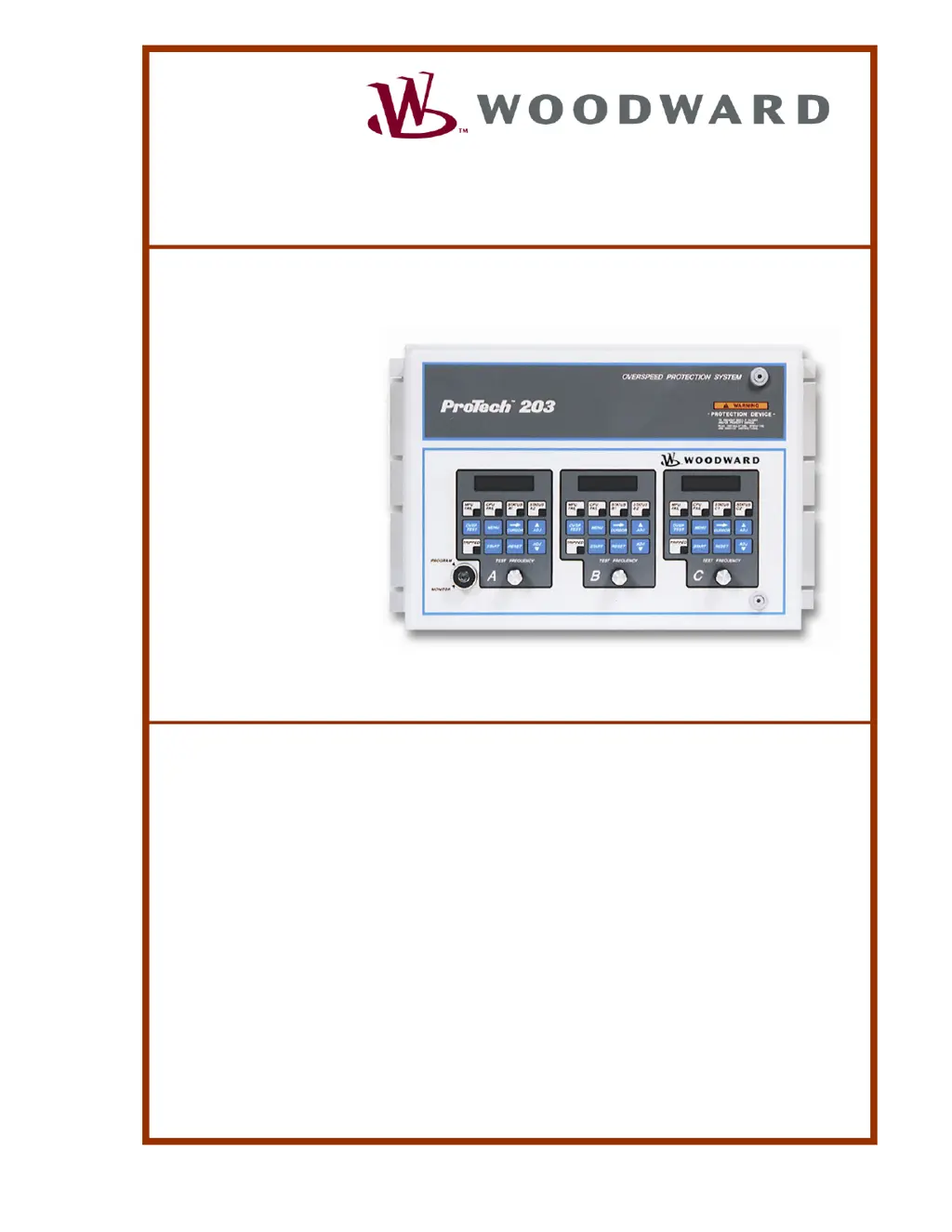
Woodward ProTech 203 - User Manual

Woodward ProTech 203
40 pages
Print Icon
To Next Page IconTo Next Page
Loading...
Installation and Operation Manual
ProTech
®
203
Overspeed Protection System
9907-146, -147, -148, -149, -150, -151
Manual 85204 (Revision G)

Questions and Answers

  • L
    lisa49Aug 18, 2025
    What to do if Woodward ProTech 203 Protection Device prime mover overspeeds after operating at rated speed?
    • N
      Nicholas AcevedoAug 18, 2025
      If the prime mover overspeeds after running at its rated speed for a while, check the prime-mover fuel system for proper operation. If the actuator moves toward minimum fuel during the overspeed, the problem lies within the fuel system itself.
  • A
    Anna WoodsAug 21, 2025
    What to do if Woodward ProTech 203 prime mover won't start?
    • G
      grushAug 21, 2025
      If the prime mover doesn't start, consider these potential causes and solutions: * Check the power supply fuses, wiring, and power sources if one or more de-energize to trip units lack power. * Press the RESET key if one or more ProTech units need to be reset. * Verify the type of ProTech model to ensure a de-energized-to-trip model isn't installed when an energized-to-trip model is appropriate, or vice versa. * Check the actuating system for proper normally open or normally closed wiring if the actuating wiring from the ProTech device is incorrect.
  • C
    Charles CuevasAug 23, 2025
    What to do if Woodward ProTech 203 Protection Device prime mover does not trip on overspeed?
    • R
      Robert JohnsonAug 23, 2025
      If the prime mover fails to trip on overspeed, here are some things to check: * Apply power to all ProTech units if power is not applied to an energized-to-trip ProTech model. * Check that the ProTech device is installed properly, in case it is not connected or is incorrectly connected to the external actuating system. * Check the MPU GEAR TEETH and TRIP SPEED SETPOINT configurations for each unit to verify that they are appropriate for the prime mover and the individual MPUs if incorrect set point values are configured for one or more units. * Check for incorrect field wiring and inoperable or incorrectly calibrated actuating equipment if two or more units show a TRIPPED indication, as the cause may be the external actuating system down-line from the ProTech device.
  • M
    mauricetaylorAug 26, 2025
    What to do if Woodward ProTech 203 Protection Device unit is not operating and STATUS 1 & 2 and TRIPPED are illuminated?
    • M
      Michael LamAug 26, 2025
      If the unit is not operating and the STATUS 1 & 2 and TRIPPED indicators are lit, press the RESET key to reset the unit.
  • J
    johnnortonAug 28, 2025
    What to do if Woodward Protection Device prime mover trips inappropriately?
    • C
      Cheyenne KingAug 28, 2025
      If the prime mover trips inappropriately, consider these solutions: * If more than one unit has been overspeed tested at one time, reset the units. * If incorrect set point values are configured for one or more units, check the MPU GEAR TEETH and TRIP SPEED SETPOINT configurations for each unit to verify they are appropriate for the prime mover and the individual MPUs.
  • A
    Alan FarmerAug 30, 2025
    What to do if Woodward Protection Device has neither LCD nor LED display?
    • C
      Christopher PaulAug 31, 2025
      If the unit shows no display on either the LCD or LEDs: * Check that power is applied to the unit, as the unit may have no power. * Consider replacing the unit's power supply board fuse. * It is possible that the power supply board is faulty.
  • E
    Elijah SmithSep 2, 2025
    What to do if Woodward ProTech 203 Protection Device trips inappropriately during start-up?
    • S
      Steven DanielsSep 2, 2025
      If the unit experiences an inappropriate trip during start-up, consider the following: * If the contact input is not used, jumper together TB5-14 and TB5-15 of each unit, in case the contact input was left open and the TIMER STARTS ON RESET option is set to "Yes". * Verify that the MPU FAIL SETPOINT and MPU FAIL TIMEOUT are appropriate for the prime mover, in case the prime mover is not ramping to the configured speed in the allotted time, due to incorrect set point values configured for one or more units. * Check that all MPUs are correctly wired to the ProTech device and are functioning properly, in case of an incorrect MPU signal.
  • K
    Katherine SantosSep 4, 2025
    What to do if Woodward ProTech 203 has LCD display, but no LEDs display—or vice versa?
    • A
      Angela GordonSep 5, 2025
      If the unit has an LCD display but no LEDs, or vice versa, the unit is faulty.
  • C
    Clinton VillegasSep 7, 2025
    What to do if Woodward ProTech 203 Protection Device won't RESET?
    • J
      Jeremy BryantSep 7, 2025
      If the unit won't RESET, check that the remote RESET operates as a momentary contact, as the remote RESET contacts may be closed.
  • J
    joseph12Sep 9, 2025
    What to do if Woodward ProTech 203 annunciates inappropriate trip due to hardware fault?
    • M
      Mr. Jimmy PetersonSep 10, 2025
      If the unit annunciates an inappropriate trip due to a hardware fault because the EEPROM doesn't respond correctly, reset the unit.

Summary

Installation

Power Requirements

Details on external disconnecting means required for each power supply unit.

Location Considerations

General requirements for selecting a suitable installation location for the device.

Installation Check-out Procedure

Steps to perform before powering up the device after installation.

Configuration and Operation

Programming Procedure

Outlines the step-by-step procedure for programming each speed-sensing unit.

Troubleshooting and User Repairs

Troubleshooting Guide

Offers a step-by-step guide for diagnosing symptoms and identifying causes and remedies.

Troubleshooting Symptoms

Lists common symptoms and their potential causes and remedies for the ProTech system.

User Repairs

Details procedures for minimal hardware repairs, including fuse replacement.

Changing a Power Supply Board Fuse

Step-by-step instructions for replacing a fuse on the power supply board.

Unit Maintenance

Procedures for removing and installing ProTech units.

Service Options

Returning Equipment for Repair

Instructions and required information for returning equipment for repair.

Woodward ProTech 203 Specifications

General IconGeneral
BrandWoodward
ModelProTech 203
CategoryProtection Device
LanguageEnglish

Related product manuals