11 / 21
Changing the IP address LM GPIO using WorkCAD
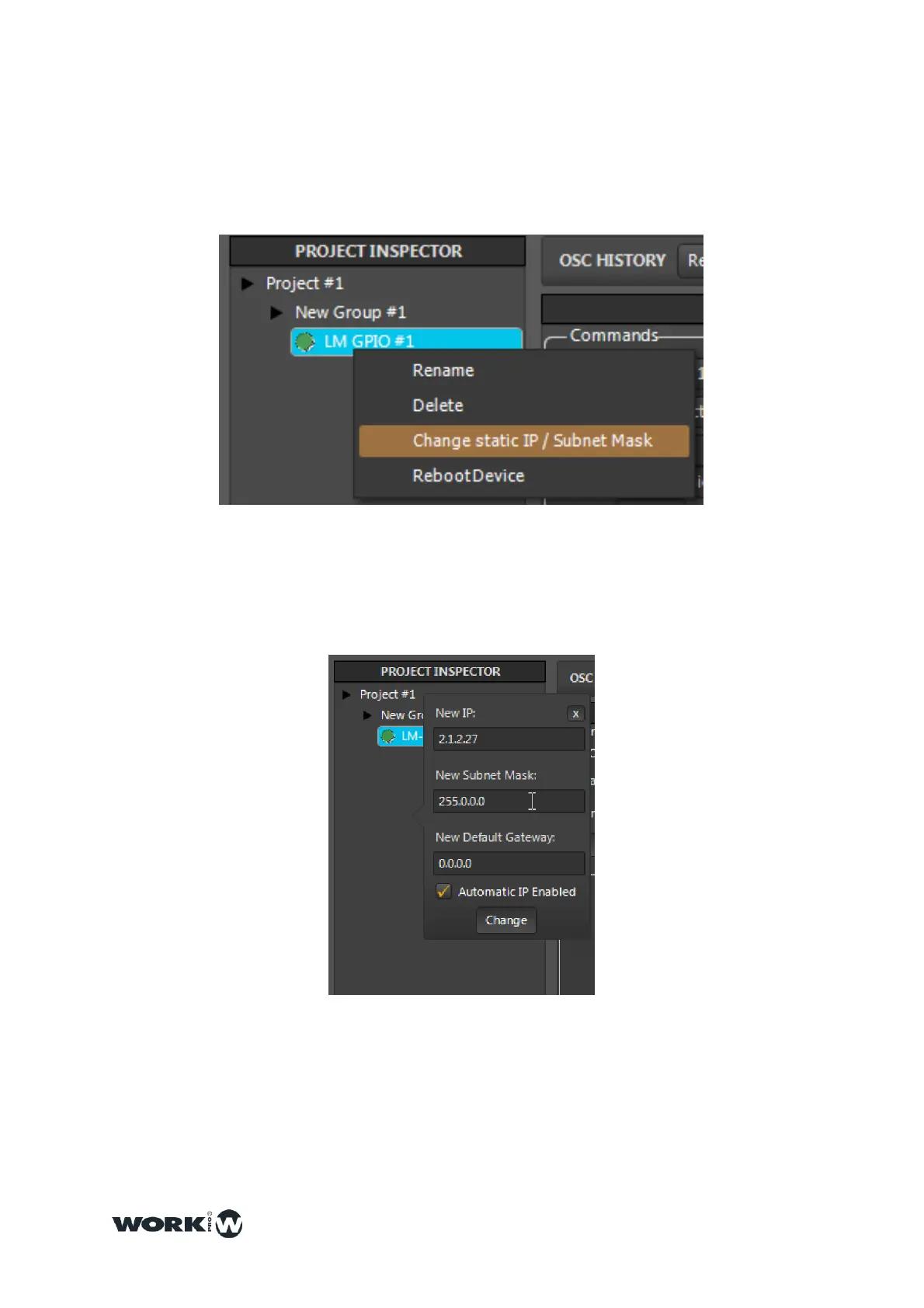
1- Over the device name, press “left click” and a dropdown menu will be showed,
then, select “Change static IP” option.
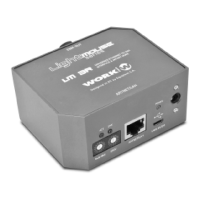
2-Assign a new IP address
Ones modified the name and IP address, it is advisable to reset the device in order
to store the data correctly.



 To Next Page