13 / 21
GPIO ports configuration
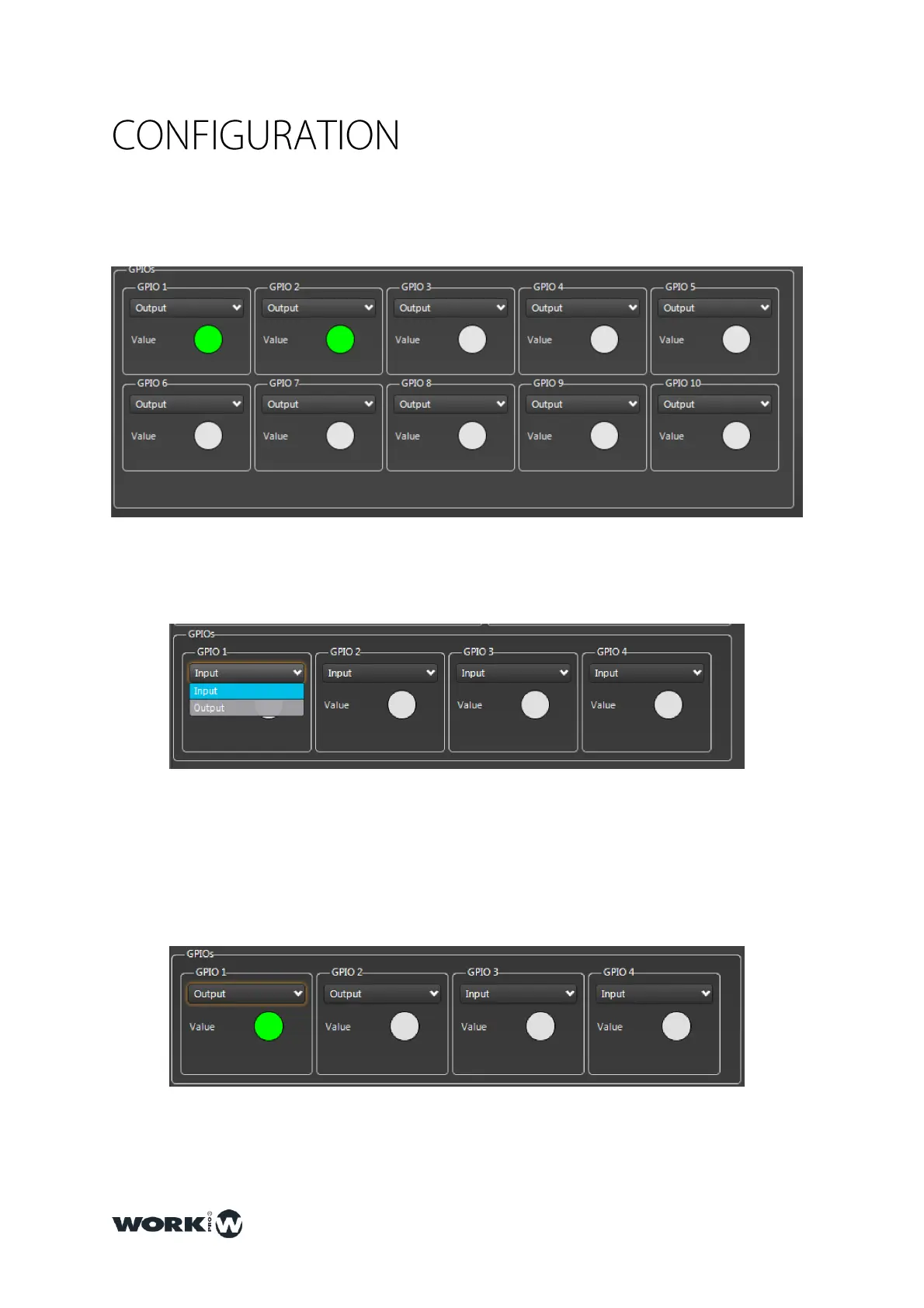
The10 ports GPIO can be configuread as much as input as output.
Using the dropdown menu, we can select the behaviour (input or output).
In the downside is located a state indicator, if the contact is being used, it will lit in Green
color. When is configured as output, it is possible to act over the contact manually, clicking
over the indicator.



 To Next Page